Table of Contents
Nothing disrupts your comfort quite like reaching for your ceiling fan remote only to find it’s vanished into the ether. Whether it’s wedged between couch cushions, accidentally tossed in the trash, or genuinely lost during a move, that small device controls a surprisingly large portion of your home’s climate and lighting. The good news is that replacing a lost ceiling fan remote doesn’t require buying an entirely new fan—or even settling for whatever generic option you first stumble across.
Today’s replacement remote market offers sophisticated solutions that often surpass your original device’s capabilities. From universal models that learn your fan’s frequency to smart home-enabled controllers that respond to voice commands, the options can feel overwhelming. This guide walks you through everything you need to know to select the perfect replacement remote for your specific situation, ensuring you regain control without unnecessary expense or frustration.
Top 10 Ceiling Fan Remotes
Detailed Product Reviews
1. LPHUMEX Universal Ceiling Fan Remote Control Kit, 3-in-1 AC Motor Ceiling Fan Light Timing & Speed Remote, for Hunter/Harbor Breeze/Westinghouse/Honeywell/Other Ceiling Fan lamp

Overview: The LPHUMEX Universal Ceiling Fan Remote Control Kit offers a straightforward solution for upgrading your ceiling fan to remote operation. Designed specifically for AC motor fans, this 3-in-1 system controls fan speed, lighting, and includes timing functions. The kit promises compatibility with major brands like Hunter, Harbor Breeze, Westinghouse, and Honeywell, making it a versatile choice for many households. Installation requires only five wire connections and doesn’t necessitate removing the light kit or blades, simplifying what could otherwise be a complex DIY project.
What Makes It Stand Out: This kit’s primary advantage is its brand-agnostic design that works with most standard AC motor ceiling fans. The receiver unit measures 4.53x1.97x1.06 inches, a standard size that fits most fan canopies. The system includes a wall cradle for convenient remote storage, and the one-to-one pairing between remote and receiver ensures reliable operation without interference from neighboring devices. The timing function adds convenience for bedtime routines.
Value for Money: Positioned as a mid-range universal kit, it offers solid value for homeowners seeking to modernize older fans. Compared to brand-specific replacements that can cost $40-60, this universal solution typically runs $25-35, saving money while delivering comparable functionality. The ability to upgrade multiple fans with the same kit type reduces future replacement costs.
Strengths and Weaknesses: Pros include easy five-wire installation, broad AC motor compatibility, separate fan and light controls, and included wall mount. Cons are the AC-only limitation (not for DC motors), potential fit issues in compact canopies, and the requirement to replace both remote and receiver as a pair, which limits flexibility if only one component fails.
Bottom Line: An excellent choice for standard AC motor ceiling fans with adequate canopy space. Verify your fan type and measurements before purchasing. For compatible models, it delivers reliable performance and convenience at a reasonable price point.
2. 2 Pack Small Size Universal Ceiling Fan Remote Control Kits, 3-in-1 Speed, Light and Timing Wireless Control Receiver for Ceiling Fan Lamp, Fit Hunter Harbor Breeze Westinghouse Honeywell and More

Overview: This two-pack offering provides exceptional value for households with multiple ceiling fans. The Aubric Universal Ceiling Fan Remote Control Kits feature an innovative relay-free design that dramatically reduces receiver size, solving the most common installation hurdle. Each kit controls three fan speeds, lighting, and offers four timer settings (1, 2, 4, and 8 hours), making it a comprehensive upgrade solution for nearly any AC motor ceiling fan.
What Makes It Stand Out: The super-compact receiver is the star feature, fitting into tight canopy spaces where standard units fail. The beep sound confirmation can be toggled on or off during setup—a thoughtful touch for noise-sensitive users. With claimed compatibility across 95% of ceiling fan brands including Hunter and Harbor Breeze, these kits function as true universal replacements. The pull-chain integration feature allows both control methods to coexist.
Value for Money: Two complete kits for roughly $30-40 represents outstanding value, effectively halving the per-fan cost compared to single-unit purchases. Brand-specific replacements often exceed $50 each, making this bundle particularly attractive for whole-home upgrades. The durability of the relay-free design may also translate to longer lifespan and better reliability.
Strengths and Weaknesses: Strengths include minimal space requirements, comprehensive timing options, configurable audio feedback, and excellent multi-unit pricing. Weaknesses are the lack of dimming capability, the necessary pull-chain preconditioning step, and the 95% compatibility claim that still requires verification. No battery is mentioned as included.
Bottom Line: Ideal for budget-conscious shoppers upgrading multiple fans or those with space-constrained canopies. Confirm your fan’s AC motor type and available space beforehand. For eligible installations, the convenience and value are hard to beat.
3. Ceiling Fan Remote Control Replacement, FAN-53T Remote for Harbor Breeze Hampton Bay Allen+Roth Kichler Litex, 3 Speed, Light Dimmer, 303.9MHz, Easy to Set with Mount Holder (Remote Only)

Overview: The FAN-53T remote is a precision replacement part designed for specific ceiling fan models rather than a universal solution. This remote-only unit operates at 303.9MHz and works with compatible receivers like FAN28R, targeting Harbor Breeze, Hampton Bay, Hunter, and other brands using the same frequency. It provides three-speed fan control and light dimming capabilities, featuring a luminous green dimmer button for easy location in dark rooms.
What Makes It Stand Out: Unlike universal kits, this remote offers exact-match replacement for users who know their fan’s specifications. The light dimming function works with incandescent and some dimmable LEDs—a feature often omitted in budget universal kits. The luminous button is genuinely useful for bedroom installations. The DIP code matching system ensures straightforward pairing without complex programming. The included wall mount holder keeps the remote accessible.
Value for Money: As a remote-only unit priced around $15-20, it’s cost-effective if your existing receiver remains functional. However, purchasing a complete kit with receiver for $30-35 often makes better financial sense for uncertain repairs. This remote’s value is entirely dependent on having a compatible receiver already installed.
Strengths and Weaknesses: Pros include precise compatibility matching, true light dimming, glow-in-the-dark button, and simple DIP code setup. Significant cons are the remote-only limitation (no receiver included), no battery provided, absence of reverse function, and extremely narrow compatibility—purchasing without verifying FCC IDs will likely result in incompatibility.
Bottom Line: Only purchase if you’ve confirmed your existing receiver’s compatibility through FCC ID matching. For those with compatible systems, it’s an affordable, feature-rich replacement. Otherwise, opt for a complete kit to avoid frustration.
4. Ceiling Fan Remote Control Kit, Timing Wireless Remote Control

Overview: This universal ceiling fan remote kit claims an impressive 98% compatibility rate across major brands including Hunter, Harbor Breeze, and Westinghouse. The system transforms traditional pull-chain fans into modern remote-controlled fixtures with minimal effort. It offers three-speed fan control, on/off light operation, and four timer settings (1, 2, 4, and 8 hours), addressing the most common user needs in a single package.
What Makes It Stand Out: The standout feature is the lifetime warranty, which is rare in this category and suggests manufacturer confidence. The receiver includes an integrated antenna for improved signal reliability. The rubber-textured remote buttons provide tactile feedback superior to cheap membrane switches. The kit supports dual-fan control in one room without interference, useful for large spaces or dual-head fans.
Value for Money: Typically priced in the $25-30 range, this kit sits comfortably in the mid-tier segment. The lifetime warranty adds intangible value, potentially saving replacement costs down the line. While lacking advanced features like dimming, it covers essential functions well for the price. Generic branding may indicate OEM manufacturing, often delivering solid performance at lower cost than name-brand equivalents.
Strengths and Weaknesses: Pros include high compatibility claim, lifetime warranty, good button quality, timer options, and dual-fan support. Cons include no light dimming function, vague product specifications, and the same pull-chain setup requirement as competitors. The antenna design note suggests potential quality control inconsistencies.
Bottom Line: A solid mid-range choice backed by exceptional warranty coverage. Verify canopy space and AC motor compatibility. For users prioritizing reliability assurance over advanced features, this represents smart value.
5. Universal Ceiling Fan Remote Control Kit Replacement for Harbor Breeze Hampton Bay Hunter Litex, 3-Speed Light Dimmer with FAN28R Receiver, for 2AAZPFAN53T FAN-53T 11T KUJCE9103 UC7030T

Overview: This complete ceiling fan remote kit from CENMING provides a direct replacement solution for popular brands like Harbor Breeze, Hampton Bay, and Hunter. The package includes both FAN-53T remote and powerful FAN28R receiver, offering three-speed control and light dimming functionality. Designed for 110V AC motor downrod-style fans, it explicitly excludes DC motors, hugger-style, and wall-mounted fans, making compatibility verification crucial.
What Makes It Stand Out: The 240W receiver capacity significantly exceeds standard units, allowing multiple bulbs and extending component lifespan. The light dimmer works with incandescent and select dimmable LEDs, with a luminous green button for nighttime visibility. The kit includes all mounting hardware: wall holder, wire nuts, and screws. The one-to-one remote-receiver pairing prevents signal interference in multi-fan homes.
Value for Money: Priced around $30-35, this kit offers professional-grade specifications at consumer prices. The high-power receiver alone justifies the cost premium over basic kits. For users needing dimming capability and running higher-wattage light kits, the extra capacity provides both performance and safety margins that cheaper alternatives lack.
Strengths and Weaknesses: Strengths include powerful 240W receiver, true light dimming, complete installation hardware, and specific model compatibility. Weaknesses are the restrictive compatibility (no DC motors, no hugger fans), lack of included 9V battery, and absence of reverse control. The narrow application scope requires careful pre-purchase verification.
Bottom Line: An excellent upgrade for compatible downrod AC fans needing dimming functionality. The robust receiver makes it ideal for fans with multiple bulbs. Confirm your fan type meticulously before ordering to ensure compatibility.
6. 3 Pack Universal Small Size Ceiling Fan Remote Control Kit, Mini Wireless Remote Control and Receiver Kits for Ceiling Fan Lamp

Overview: This three-pack universal ceiling fan remote kit delivers comprehensive wireless control for nearly any AC ceiling fan installation. The miniaturized receiver design solves fitment issues in compact fan canopies, while the factory-paired remote eliminates complicated setup procedures. Compatible with major brands like Hampton Bay, Harbor Breeze, Westinghouse, and Honeywell, this kit transforms traditional pull-chain fans into modern remote-controlled systems.
What Makes It Stand Out: The 4-in-1 functionality consolidates fan speed control (three speeds plus off), four timer settings (1/2/4/8 hours), and light operation into an intuitive interface. The customizable beep confirmation feature provides audible feedback for operations, which can be disabled for bedroom use. Advanced soft-switch technology with zero-cross detection eliminates electrical arcing and inrush current, significantly extending component lifespan and improving reliability compared to conventional remote kits.
Value for Money: Purchasing this three-pack bundle offers substantial savings over individual units, making it ideal for multi-room installations or property managers. The included one-year warranty and 24/7 expert support provide professional-grade peace of mind. When compared to OEM replacement remotes costing $30-50 each, this kit delivers comparable functionality at a fraction of the price.
Strengths and Weaknesses: Pros: Compact receiver fits 98% of fan models; advanced safety technology extends lifespan; factory-paired for instant installation; customizable audio feedback; excellent multi-pack value. Cons: Light control is binary on/off only (no dimming); documentation doesn’t specify DC motor compatibility; timer beep might disturb light sleepers even when disabled.
Bottom Line: This three-pack kit excels for users upgrading multiple fans simultaneously. The combination of space-saving design, robust technology, and comprehensive support makes it a smart investment for homeowners and contractors alike.
7. LPHUMEX 2 Pack AC Motor Ceiling Fan Remote Control Kits, 3-in-1 Fan Speed, Timing and Light Wireless Remote Control for Ceiling Fan Light, Fit for Hunter Minka-Aire Hampton Bay Honeywell and More

Overview: LPHUMEX offers a practical two-pack solution specifically designed for AC motor ceiling fans, providing remote control convenience without the premium price tag. This kit enables wireless management of fan speeds, lighting, and timer functions through a straightforward five-wire installation process. Compatible with leading brands including Hunter, Hampton Bay, and Honeywell, it’s engineered as a direct replacement for failed original remotes.
What Makes It Stand Out: The true selling point is bedroom convenience—no more stumbling in the dark to adjust fan speeds or lights. The integrated timer function promotes energy efficiency by automatically shutting off the fan after 1, 2, 4, or 8 hours. Installation simplicity stands out; with only five wires to connect, most DIYers can complete the upgrade in under 30 minutes without removing the fan assembly.
Value for Money: This two-pack delivers exceptional value for multi-fan households, essentially providing two complete kits for roughly the price of one OEM replacement. The energy-saving timer functionality can yield measurable electricity savings over time. Compared to hiring an electrician for hardwired switch installation, this wireless solution saves hundreds in labor costs.
Strengths and Weaknesses: Pros: Straightforward five-wire installation; convenient bedside control; universal AC motor compatibility; cost-effective two-pack pricing; eliminates need for wall switches. Cons: Explicitly incompatible with DC motor fans; receiver dimensions may not fit slimline canopies; no light dimming capability; requires adequate canopy space.
Bottom Line: Perfect for AC ceiling fan owners seeking affordable modernization. The LPHUMEX kit delivers essential remote functions with minimal installation complexity, making it an excellent choice for rental properties and budget-conscious homeowners.
8. 2 Pack Universal Ceiling Fan Remote Control Kits with Light Dimmer 3 Speed Fan Controller Receiver Lamp Dim Remote Replacement for Hampton Bay/Hunter/Harbor Breeze/Westinghouse/Honeywell & More

Overview: This two-pack universal kit distinguishes itself by offering full dimming capability alongside standard fan speed and timer controls. Designed to retrofit virtually any ceiling fan with lights, it transforms basic fixtures into sophisticated, remote-controlled systems. The DIP code pairing system allows customization for multi-fan environments or interference prevention, while the receiver works with incandescent, halogen, and dimmable LED/CFL bulbs.
What Makes It Stand Out: The dimming function sets this apart from most universal kits, providing true brightness control rather than simple on/off operation. DIP switch pairing, while requiring manual configuration, offers crucial security against neighbor interference—a common issue with factory-paired units. The installation process is remarkably simple, requiring just five wire connections without disassembling the fan.
Value for Money: Adding dimming functionality typically requires separate wall switches costing $25-40 each. This integrated solution delivers fan control, timer, and dimming for less than the cost of a single dimmer switch installation. The 30-day money-back guarantee plus one-year replacement warranty exceeds industry standards, demonstrating manufacturer confidence.
Strengths and Weaknesses: Pros: True light dimming for multiple bulb types; DIP code customization prevents interference; straightforward five-wire installation; wide brand compatibility; generous warranty terms. Cons: No reverse function; DIP code default (0000) creates security risk if not changed; 9V battery not included; receiver size may be problematic for compact canopies.
Bottom Line: This dimmer-equipped kit is ideal for users wanting complete light control without rewiring walls. The DIP code system requires initial setup but provides long-term reliability, making it a superior choice for tech-savvy homeowners.
9. LPHUMEX Ceiling Fan Remote Control Kit, Small Size Speed, Light & Timing 3 in 1 Wireless Control, Compatible with AC Motor Fans from Harbor Breeze, Hunter, Hampton Bay, etc.
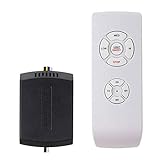
Overview: LPHUMEX provides a single-unit remote kit optimized for AC motor ceiling fans where canopy space is at a premium. This compact solution delivers three core functions—speed control, light operation, and timer settings—without unnecessary complexity. Designed as a direct replacement for failed receivers, its reduced dimensions solve installation challenges in slimline fan designs from Harbor Breeze, Hunter, and Hampton Bay.
What Makes It Stand Out: The receiver’s smaller footprint is the headline feature, accommodating installations where standard universal kits simply won’t fit. The straightforward five-wire hookup, complete with included wire nuts and wall-mount tray, makes this accessible to DIYers of any skill level. It effectively modernizes aging fans, adding contemporary convenience to otherwise functional fixtures.
Value for Money: As a single-unit offering, it provides an affordable entry point for one-fan upgrades. The price point undercuts OEM replacements while delivering comparable functionality. For renters or homeowners testing remote convenience before committing to whole-house upgrades, this represents a low-risk investment. The included mounting hardware eliminates extra trips to the hardware store.
Strengths and Weaknesses: Pros: Compact receiver fits tight canopies; complete installation hardware included; simple five-wire connection; modernizes old fans affordably; AC motor compatibility across major brands. Cons: Single-unit pricing less economical than multi-packs; no light dimming capability; explicitly incompatible with DC motors; lacks reverse function; limited to on/off light control.
Bottom Line: This LPHUMEX kit is the go-to solution for space-constrained fan installations. While it sacrifices dimming and reverse functions, its compact design and straightforward operation make it perfect for specific retrofit scenarios where size matters most.
10. TX028C-S Ceiling Fan Remote Control Replacement for Hampton Bay Home Decorators Collection, 3-Speed Light Dimmer and Color-Changing, 4 Dip Switches Replacement for A25-TX028C-S (Remote Only)
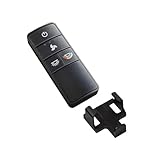
Overview: This TX028C-S remote is a specialized replacement for Hampton Bay Home Decorators Collection fans, offering advanced features not found in typical universal remotes. Important: This includes only the remote—no receiver. It provides color temperature adjustment, light dimming, and three-speed fan control for compatible 304 MHz systems. Designed for models A25-TX028C-S and variants, it restores full functionality to fans with existing receivers.
What Makes It Stand Out: The color temperature control is unique among replacement remotes, allowing users to switch between warm and cool white lighting to match activities or time of day. This feature, combined with dimming capability, creates customizable ambiance. Three pairing methods—DIP switch matching, trial-and-error, or receiver inspection—provide flexibility when the original remote is lost.
Value for Money: As a remote-only solution, it’s priced appropriately for replacing lost or broken controllers without paying for unnecessary receiver hardware. Compared to purchasing a complete new fan, this offers dramatic savings. However, users must verify existing receiver compatibility; mismatched frequency systems render it useless.
Strengths and Weaknesses: Pros: Color temperature adjustment; dimming functionality; multiple pairing methods; specific model precision; wall mount included. Cons: Remote ONLY—no receiver included; extremely limited compatibility (Hampton Bay 304 MHz only); 12V battery not included; requires technical verification before purchase; not universal.
Bottom Line: This remote is exclusively for Hampton Bay Home Decorators Collection owners with confirmed 304 MHz receivers. Its color-changing and dimming features justify the purchase, but meticulous compatibility verification is mandatory. For those with matching systems, it’s an economical way to restore premium functionality.
Understanding Ceiling Fan Remote Replacement Basics
Why Universal Remotes Are Your First Option
Universal ceiling fan remotes have evolved far beyond basic on/off functions. These versatile devices can communicate with multiple fan brands and models by mimicking the original remote’s frequency and command codes. Most feature learning capabilities that allow them to clone signals from an existing remote—though when you’ve lost yours entirely, you’ll rely on their pre-programmed database of common frequencies. The key advantage is flexibility; a quality universal remote works with 90% of ceiling fans manufactured in the last decade, making it the most practical starting point for most homeowners.
The Importance of Frequency Matching
Ceiling fan remotes operate on specific radio frequencies, typically 350MHz, 433MHz, or 2.4GHz for smart models. Your replacement must match your fan’s receiver frequency exactly, or it simply won’t communicate. This information is usually printed on a label inside the fan’s canopy or on the receiver unit itself. If you’re uncomfortable climbing a ladder to check, many universal remotes include a scanning function that cycles through common frequencies until it finds one that activates your fan. However, this trial-and-error approach works best when the fan is easily visible and you can hear its response.
Receiver vs. Remote-Only Replacement
Sometimes the remote isn’t the problem—the receiver inside the fan may have failed. If you’ve replaced the remote’s batteries, checked the frequency, and still get no response, the receiver might need replacing too. Most replacement kits include both a new remote and a receiver unit that wires into your fan’s motor housing. While installing a receiver requires basic electrical work, it’s often no more complicated than changing a light switch and gives you a completely fresh start with guaranteed compatibility.
Key Features to Evaluate in Replacement Remotes
Range and Signal Strength Considerations
Standard ceiling fan remotes typically work within 40-50 feet, but walls and interference reduce effective range. If you’re controlling a fan in a vaulted ceiling or through multiple rooms, look for remotes advertising extended range up to 100 feet. Signal strength matters more than distance alone; remotes with external antennas on the receiver provide more reliable performance through obstacles. For outdoor fans or those in metal buildings, consider models specifically designed to penetrate interference.
Number of Speed Settings and Control Options
Basic remotes offer three speed settings, but many modern fans support four or five speeds plus reverse functionality. Verify your fan’s capabilities before choosing a remote with limited options. Some advanced remotes include a “boost” mode for maximum airflow or a “sleep” mode that gradually reduces speed overnight. If your fan includes a light kit, ensure the remote can control both fan speed and light operation independently—some budget models only handle one function.
Light Dimming Capabilities
Not all fan light kits are dimmable, and not all remotes support dimming. If your fan has dimmable LEDs or incandescent bulbs, choose a remote with smooth dimming control rather than simple on/off. Look for models offering multiple dimming levels (typically 10-100% in increments) and memory functions that remember your last brightness setting. Some remotes include a “favorite” button that instantly returns to your preferred light level—a small convenience that becomes addictive once you experience it.
Battery Life and Power Requirements
Most ceiling fan remotes use coin cell batteries (CR2032) or AAA batteries, lasting 12-24 months depending on usage. Remotes with backlit buttons or LCD screens drain batteries faster but offer better usability in dark rooms. Consider models with low-battery indicators to avoid sudden failures. Rechargeable remotes are emerging in the market, using USB-C charging and lasting weeks per charge—ideal for heavy users or those tired of hunting for specialty batteries.
Design and Aesthetic Integration
Your remote lives on your nightstand or coffee table, so its appearance matters. Replacement remotes come in various finishes from basic white plastic to brushed metal that matches modern decor. Wall-mountable holders keep remotes from disappearing again, while compact designs fit better in small spaces. Some premium models feature magnetic backs that stick to refrigerator doors or metal bed frames—practical storage that prevents future losses.
Compatibility Factors That Make or Break Your Choice
Identifying Your Fan’s Brand and Model
Start your search by locating your fan’s model number, typically found on a label atop the motor housing or inside the light kit. This information unlocks access to brand-specific replacement remotes guaranteed to work. Even if you opt for a universal remote, knowing your fan’s brand helps narrow down frequency and feature requirements. Take a photo of the label with your phone for easy reference when shopping online or consulting with customer service.
DIP Switch Configuration Explained
Many ceiling fan remotes use tiny DIP switches to set their operating frequency. These physical switches must match the pattern on your fan’s receiver exactly. When buying a replacement, look for remotes with easily accessible DIP switch panels—some hide them behind battery compartments requiring screwdriver access. If your fan’s receiver uses DIP switches but you can’t see its pattern, you may need to lower the fan’s canopy to check. Newer “learning” remotes can sometimes bypass this requirement by automatically detecting the correct pattern.
Learning Function Technology
Learning remotes represent the ultimate in flexibility. By putting your fan’s receiver into pairing mode (usually by flipping a specific wall switch sequence), these remotes can automatically sync without matching DIP switches or knowing exact frequencies. This technology is invaluable when documentation is lost or you’re dealing with an off-brand fan. The setup typically involves holding a button while the remote cycles through codes until the fan responds—a process taking under five minutes in most cases.
When OEM Remotes Are Necessary
Original Equipment Manufacturer (OEM) remotes ensure perfect compatibility but often cost twice as much as universal options. They’re worth considering for smart fans with proprietary communication protocols or unique features like temperature sensors and humidity controls. Some high-end fans use encrypted signals that universal remotes can’t replicate. Contact your fan’s manufacturer directly; many keep replacement remotes in stock for models discontinued over a decade ago.
Installation and Setup Considerations
DIY Installation: What You’ll Need
Replacing a remote receiver requires basic tools: a voltage tester, wire nuts, and possibly a ladder. Turn off power at the breaker, not just the wall switch, before starting. Most receivers connect with simple wire nuts matching color-coded wires (black to black, white to white, etc.). If your fan uses a specialized wiring harness, look for replacement kits from the same manufacturer. The entire process typically takes 30-45 minutes for someone comfortable with basic electrical work.
Professional Installation Scenarios
Hire an electrician if your fan is mounted on a ceiling over 12 feet high, if you lack a secure ladder, or if the existing wiring shows signs of damage. Also consider professional help for fans controlled by multiple switches or integrated with home automation systems. The cost is usually minimal compared to the risk of injury or electrical damage. Some electricians will also program universal remotes for you, ensuring optimal settings.
Pairing and Synchronization Process
Modern replacement remotes simplify pairing through clear button sequences. Typically, you’ll turn off power to the fan, install the receiver, restore power, then press and hold a “pair” or “learn” button on the remote within 30 seconds. The fan should respond with a brief movement or light flash confirming successful sync. Some remotes require cycling through codes manually—a tedious but effective method when automatic pairing fails. Always complete pairing before mounting the receiver permanently inside the fan canopy.
Troubleshooting Common Setup Issues
If your new remote doesn’t work immediately, check these common issues: mismatched DIP switches, weak batteries, interference from LED bulbs in the fan, or a receiver installed upside-down. Metal fan housings can block signals; receivers should mount as low as possible in the canopy. If the fan responds intermittently, try changing the remote’s operating frequency by adjusting DIP switches—neighboring remotes or wireless devices may cause conflicts.
Advanced Control Options for Modern Homes
Smartphone App Integration
Smart replacement remotes connect to your Wi-Fi network, allowing control through smartphone apps from anywhere. These systems often include scheduling, energy monitoring, and integration with other smart devices. Look for apps with good reviews mentioning reliability and user-friendly interfaces. Be aware that smart remotes require a constant power connection and may need firmware updates periodically. They shine in vacation homes or for controlling fans in hard-to-reach rooms.
Voice Control Compatibility
Alexa, Google Assistant, and Siri can control ceiling fans through compatible smart remotes. Setup involves linking the remote’s app to your voice assistant platform, then creating simple voice commands like “Alexa, set bedroom fan to medium.” This hands-free control proves invaluable when your hands are full or for accessibility needs. Ensure the remote specifically advertises voice control compatibility—generic smart remotes may lack this integration.
Multi-Fan Control from Single Remote
For homes with multiple ceiling fans, some advanced remotes can control several units independently from one device. These remotes use zone assignments, letting you label fans by room and control each separately. This eliminates remote clutter and simplifies whole-home climate management. Verify your fans are within range of each other and that the remote supports enough zones for your needs—most handle 4-6 fans maximum.
Timer and Scheduling Functions
Timer functions automatically turn fans off after a set period, perfect for falling asleep without running the fan all night. Scheduling takes this further, allowing different speeds at different times of day—high speed during afternoon heat, low speed for evening comfort. Some remotes even include temperature sensors that automatically adjust fan speed based on room conditions. These features save energy and enhance comfort without requiring constant manual adjustment.
Budget and Value Considerations
Price Ranges and What They Include
Basic universal remotes start around $15-25, offering essential speed and light control. Mid-range options ($30-50) add dimming, timers, and better build quality. Premium smart remotes ($60-100+) include app control, voice integration, and advanced scheduling. OEM remotes typically fall in the $40-80 range regardless of features. Consider the total cost; a $15 remote that fails in six months costs more than a $40 remote lasting five years.
Warranty and Return Policy Importance
Quality replacement remotes include at least a one-year warranty, with premium brands offering two to three years. Read warranty terms carefully—some exclude damage from power surges or improper installation. Purchase from retailers with generous return policies, allowing you to test compatibility without risk. Keep packaging and receipts until you’ve confirmed the remote works perfectly with your fan. Some manufacturers offer lifetime technical support, which proves invaluable for troubleshooting unusual compatibility issues.
Avoiding Counterfeit and Low-Quality Options
The replacement remote market includes many knockoffs that look identical to quality brands but fail within months. Warning signs include prices significantly below market average, vague product descriptions lacking model numbers, and sellers with poor ratings. Check for FCC certification numbers on packaging—legitimate remotes must display these. Read reviews mentioning long-term reliability, not just initial setup success. When in doubt, buy directly from the fan manufacturer or established home improvement retailers.
Frequently Asked Questions
How do I know if I need to replace the receiver or just the remote?
Test by turning off power to the fan at the breaker for 30 seconds, then restore it. If the fan doesn’t beep or light up when power returns, the receiver may have failed. Also, try a universal remote with a code scanner—if it can’t detect any response from the fan after cycling through all codes, the receiver likely needs replacement.
Can I use any universal remote with my ceiling fan?
Most ceiling fans work with universal remotes, but exceptions exist. Fans with proprietary smart features, DC motors with specialized controls, or encrypted signals require brand-specific remotes. Check your fan’s manual or contact the manufacturer if you’re unsure. Universal remotes work best with standard AC motor fans from major brands.
What’s the difference between IR and RF ceiling fan remotes?
IR (infrared) remotes require line-of-sight to the fan’s receiver and have very limited range—typically 15-20 feet. RF (radio frequency) remotes work through walls and ceilings with ranges of 50+ feet. Nearly all modern ceiling fans use RF remotes. If your old remote needed to point at the fan, it’s IR; if it worked from another room, it’s RF.
How long do replacement ceiling fan remotes typically last?
Quality remotes last 5-10 years with normal use. The most common failure point is button contacts wearing out from repeated presses. Remotes with membrane buttons tend to last longer than those with individual plastic buttons. Battery corrosion is another issue—remove batteries during long-term storage. Smart remotes may become obsolete if their apps aren’t updated for newer phone operating systems.
Will a new remote affect my fan’s existing wall switch?
Most replacement receivers wire in parallel with your existing wall switch, allowing both to control the fan. However, the wall switch must remain “on” for the remote to function. Some advanced setups let the wall switch override the remote for safety. If your fan currently has no wall switch, adding a remote receiver won’t create one—you’ll need separate wiring for that.
Can I program one remote to control multiple fans?
Standard remotes pair one-to-one with receivers. However, some universal remotes allow cloning the same code across multiple fans, making them respond simultaneously. For independent control of multiple fans from one remote, you need a multi-zone remote specifically designed for this purpose. These assign different codes to each fan while operating from a single handset.
Why does my new remote only work intermittently?
Intermittent operation usually signals interference, weak batteries, or range issues. Try changing the remote’s frequency via DIP switches to avoid conflicts with nearby devices. Ensure batteries are fresh and properly installed. Metal objects, LED bulbs, and Wi-Fi routers can interfere with signals—relocate the receiver if possible. If problems persist, the receiver’s antenna may be damaged or improperly positioned.
Are smart ceiling fan remotes worth the extra cost?
Smart remotes justify their cost if you value scheduling, voice control, or remote access from outside your home. They excel in bedrooms (automatic sleep timers), homes with high ceilings (no ladder needed for adjustments), and for accessibility. For simple on/off and speed control in easily reached rooms, a standard RF remote provides better value.
How difficult is it to install a replacement receiver myself?
If you can change a light fixture, you can likely install a receiver. The process involves turning off power, lowering the fan canopy, disconnecting three wire nuts, connecting the receiver between the house wires and fan wires, and tucking it into the canopy. The main challenges are working on a ladder and supporting the fan’s weight during installation. Always have a helper hold the fan if possible.
What should I do with my old remote if I find it after installing a replacement?
Keep it as a backup in case the new remote fails. You can also program it to control another fan in your home, provided the DIP switch patterns don’t conflict. Some homeowners donate found remotes to Habitat for Humanity or similar organizations. If it’s damaged, check for battery recycling programs rather than throwing it in the trash. Never store remotes with batteries installed long-term—corrosion can ruin them permanently.
See Also
- 10 Best Universal Ceiling Fan Remotes for Replacing Lost or Broken Units This Year
- We Tested 50 Handheld Ceiling Fan Remotes - Here are the 10 Best for Daily Use
- 10 Best Ceiling Fan Replacement Globes for Cracked or Faded Fixtures in 2026
- Top 10 Best Ceiling Fan Remotes for Easy Speed and Light Control in 2026
- 10 Best Ceiling Fan Remotes for Smart Home Integration in 2026