Table of Contents
Imagine walking into a room and simply saying, “Lights, evening mode,” only to have the perfect warm glow envelop you, setting the ideal ambiance without lifting a finger. This seamless experience isn’t just reserved for futuristic movies anymore; it’s the reality hub-based smart lighting systems deliver, with Zigbee technology acting as the quiet, reliable engine powering it all. As we move deeper into 2026, Zigbee remains a cornerstone for robust, responsive, and secure home automation, particularly for lighting. Its mesh networking capability ensures your lights stay connected even when Wi-Fi stutters, creating a foundation for a truly intelligent home that just works, reliably and efficiently.
Choosing the right Zigbee bulbs is far more than just picking a bright white or a cozy yellow. It’s about integrating seamlessly into your existing ecosystem, future-proofing your investment, and unlocking features that genuinely enhance your daily life. With hubs becoming smarter and protocols like Matter increasingly leveraging Zigbee underneath, understanding what makes a good Zigbee bulb in today’s landscape is crucial. Forget chasing fleeting trends; this guide cuts through the noise to focus on the enduring features, compatibility nuances, and practical considerations that will serve you well for years to come, ensuring your smart lighting journey is smooth, satisfying, and built to last.
Top 10 Zigbee Light Bulbs
Detailed Product Reviews
1. THIRDREALITY Zigbee Smart Color Bulb ZL1 4Pack,Compatible with Home Assistant(ZHA&Z2M), SmartThings,Aeotec,Homey,Hubitat or Echo Devices With Built-in Hub,A19 RGBCW Bulb,2700K-6500K Tunable,800 Lumens

Overview: This 4-pack of THIRDREALITY Zigbee 3.0 bulbs delivers full RGB color and tunable white lighting (2700K–6500K) with 800 lumens per bulb. Requiring a compatible Zigbee hub (e.g., Echo Studio, SmartThings, or Home Assistant), it targets smart home enthusiasts seeking vibrant ambiance customization for living spaces, parties, or commercial settings.
What Makes It Stand Out: Its dual role as a Zigbee repeater significantly boosts mesh network reliability, eliminating dead zones—a rare feature in budget bulbs. Compatibility spans niche platforms like ZHA/Z2M and mainstream ecosystems (Alexa, SmartThings), while the 1%–100% dimming and millions of colors rival premium options.
Value for Money: Priced competitively per bulb, it undercuts Wi-Fi alternatives (like LIFX) while offering superior network stability. Though a hub is mandatory, the repeater function reduces the need for extra extenders, justifying the cost for expanding Zigbee setups.
Strengths and Weaknesses: Strengths: Exceptional hub compatibility; energy-efficient Zigbee protocol; robust network extension; versatile color/temperature range. Weaknesses: No standalone operation (hub essential); slightly shorter lifespan than top-tier brands; initial setup may confuse beginners.
Bottom Line: Ideal for Zigbee-centric smart homes needing reliable, colorful lighting at scale—especially where network coverage is a concern. Skip if you lack a compatible hub.
2. Sengled Smart Light Bulbs, Zigbee Hub Required, Works with Alexa and SmartThings, Voice Control with Google Home and Echo with built-in Hub, Soft White 60W Equivalent A19 Dimmable Smart Bulbs, 4-Pack

Overview: Sengled’s 4-pack offers straightforward, warm-white (2700K) dimmable lighting (800 lumens) for everyday use. Designed exclusively for Zigbee hubs (e.g., SmartThings or Echo with built-in hub), it prioritizes stability over color versatility, suiting users wanting simple, hands-free white lighting.
What Makes It Stand Out: Its Ethernet-connected hub dependency ensures rock-solid performance in congested Wi-Fi environments. Support for grouping up to 64 bulbs and seamless voice control (Alexa/Google) stands out for whole-home automation without color complexity.
Value for Money: Among the most affordable Zigbee white bulbs, it shines for bulk installations like offices or multi-room homes. However, the hub (sold separately) adds $30–$50 to the total cost, slightly diminishing value versus Wi-Fi bulbs that skip hubs.
Strengths and Weaknesses: Strengths: Reliable 2.4/5GHz router compatibility; 80% energy savings vs. incandescents; intuitive scheduling; excellent group management. Weaknesses: No color or tunable white options; hub required inflates entry cost; limited to soft white (2700K only).
Bottom Line: A superb budget pick for white-light purists prioritizing stability and scalability—but only if you already own a compatible hub.
3. Sengled Zigbee Smart Light Bulbs, Smart Hub Required, Works with SmartThings and Echo with built-in Hub, Voice Control with Alexa and Google Home, Soft White 60W Eqv. A19 Alexa Light Bulb, 8 Pack

Overview: This 8-pack of Sengled bulbs mirrors Product 2’s soft-white (2700K), dimmable functionality but targets larger deployments. Requiring a Zigbee hub, it’s engineered for users needing uniform, energy-efficient lighting across expansive areas like hotels or open-plan homes.
What Makes It Stand Out: The 8-bulb bundle provides exceptional per-unit savings for scaling ecosystems. Like its sibling, it leverages Ethernet-linked hubs for unwavering reliability and supports grouping 64+ bulbs—ideal for commercial or multi-story residential use.
Value for Money: The bulk discount makes it the most cost-effective white-light option here, undercutting even Product 2. Still, the mandatory hub (e.g., $50 SmartThings) means total setup costs approach color-bulb systems, narrowing the gap versus mid-tier RGB kits.
Strengths and Weaknesses: Strengths: Lowest per-bulb cost in Sengled’s lineup; consistent 800-lumen output; robust scheduling/timer features; easy voice integration. Weaknesses: Zero color options; hub dependency complicates entry; identical limitations to Product 2 at scale.
Bottom Line: Best for cost-conscious buyers expanding white-light coverage in large spaces—provided you have hub infrastructure. Avoid if color flexibility is desired.
4. Philips Hue Essential Smart LED A19 Bulb, White and Color Ambiance, E26 Base, 8.8W, 2200K-6500K, 800 Lumens, Dimmable, Works with Alexa, Google, and Apple Home, 4-Pack

Overview: Philips Hue Essentials brings premium color ambiance (16M hues, 2200K–6500K) to a 4-pack with Bluetooth connectivity. While basic controls work hub-free via the Hue app, full potential unlocks with the optional Hue Bridge, appealing to design-focused smart home adopters.
What Makes It Stand Out: Hue’s industry-leading color accuracy and curated light scenes (e.g., “Energize” or “Relax”) create unmatched atmospheres. Native compatibility with Alexa, Google, and Apple Home without third-party hubs simplifies entry, while smooth 2%–100% dimming feels luxurious.
Value for Money: Pricier per bulb than competitors, but Hue’s ecosystem—especially with the Bridge—justifies it via advanced automations (e.g., music sync) and resale reliability. For basic use, alternatives offer better value; for integrated smart homes, it’s worth the premium.
Strengths and Weaknesses: Strengths: Superior color quality; intuitive app; no hub needed for core features; seamless cross-platform voice control. Weaknesses: Bridge ($60) required for routines/geofencing; higher upfront cost; slightly dimmer than specs claim.
Bottom Line: The top choice for color enthusiasts seeking polished, ecosystem-rich lighting—if budget allows. Opt for Essentials over standard Hue for better value.
5. THIRDREALITY Smart Color Bulb ZL1,Zigbee hub Required,Compatible with Home Assistant(ZHA&Z2M),SmartThings,Aeotec,Homey,Hubitat or Echo Devices with Built-in Zigbee hub,A19 RGBCW Bulb,800 Lumens
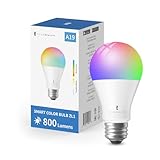
Overview: This single THIRDREALITY ZL1 bulb offers identical specs to Product 1 (RGB+CCT, 2700K–6500K, 800 lumens) but sold individually. It’s a gateway for testing Zigbee color lighting without a multi-bulb commitment, ideal for hub-equipped smart home tinkerers.
What Makes It Stand Out: Retains the unique Zigbee repeater capability, strengthening mesh networks—a standout for users battling signal dropouts. Its broad compatibility (Home Assistant to Echo) and 1%–100% dimming provide flexibility rarely seen at this price point for single units.
Value for Money: Slightly higher per-bulb cost than the 4-pack (Product 1), but perfect for sampling or targeted accents. Beats Wi-Fi bulbs in network efficiency, though hub requirements may deter casual users seeking plug-and-play simplicity.
Strengths and Weaknesses: Strengths: Network-boosting repeater function; extensive hub support; vibrant color range; energy-efficient. Weaknesses: Hub mandatory; no Bluetooth fallback; single-bulb pricing less economical than bundles.
Bottom Line: A smart buy for adding color and extending Zigbee coverage in one bulb—opt for the 4-pack if outfitting multiple rooms.
6. innr Zigbee A19 Smart Bulb, Works with Hue*, Alexa, SmartThings, White & Color, 40% More Brightness, E26 LED Color Changing Light Bulb, Dimmable, 1100 Lumen, 4-Pack

Overview: The innr Zigbee A19 pack delivers high-performance smart lighting for Zigbee ecosystems, offering color tuning and exceptional brightness without needing a separate hub beyond compatible bridges like Hue or SmartThings.
What Makes It Stand Out: Its standout feature is 40% increased brightness (1,100 lumens) versus typical smart bulbs, reducing eye strain for task lighting. The CRI >94 ensures true color rendering, while smooth 1%-100% dimming and 16 million colors create versatile ambiance.
Value for Money: Priced competitively for a 4-pack of high-lumen bulbs, it offers long-term energy savings and robust integration. Though slightly costlier than basic white bulbs, the brightness and color quality justify the premium for demanding spaces.
Strengths and Weaknesses: Strengths: Superb brightness, excellent color accuracy, reliable Zigbee performance, and no hub needed beyond existing bridges. Weaknesses: Excludes HomeKit/HomeKit Secure, lacks native Google Assistant support, and requires a Zigbee bridge (not included).
Bottom Line: Ideal for Zigbee users seeking vibrant, high-output lighting for workspaces or living areas; a top-tier choice despite minor ecosystem limitations.
7. Kasa Smart Light Bulbs, Full Color Changing Dimmable Smart WiFi Bulbs Compatible with Alexa and Google Home, A19, 9W 800 Lumens,2.4Ghz only, No Hub Required, 4 Count (Pack of 1), Multicolor (KL125P4)

Overview: Kasa’s KL125P4 offers hub-free smart lighting via WiFi, enabling direct control through the Kasa app or voice assistants without additional hardware. This 4-pack simplifies smart home entry.
What Makes It Stand Out: True plug-and-play convenience with no hub required and seamless 2.4GHz WiFi connectivity. The auto white feature adjusts color temperature to mimic natural daylight cycles, while real-time energy monitoring provides usage insights.
Value for Money: Excellent value for beginners due to zero hub costs and reliable performance. The 800-lumen output suits most rooms, though slightly dimmer than rivals; the 2-year warranty and UL certification enhance trust.
Strengths and Weaknesses: Strengths: No hub needed, intuitive app, energy tracking, and broad voice assistant support. Weaknesses: Limited to 2.4GHz networks (no 5GHz), 800 lumens may feel inadequate for large spaces, and lacks Zigbee’s mesh networking stability.
Bottom Line: A hassle-free, budget-friendly gateway to smart lighting for renters or new adopters, though power users may prefer mesh-networked alternatives.
8. THIRDREALITY Smart Color Bulb ZB3 4Pack, Zigbee Hub Required, 650 Lumens,BR30/E26 Flood Light,RGB Full Color,ETL/FCC Certified,Compatible with Home Assistant, SmartThings, Aeotec,Homey,Hubitat,Alexa

Overview: THIRDREALITY’s ZB3 is a Zigbee 3.0 BR30 floodlight designed for recessed ceiling fixtures, targeting users needing directional smart lighting with extensive hub compatibility.
What Makes It Stand Out: Uniquely functions as a Zigbee repeater to boost network range—crucial for expansive homes. Its BR30 shape fits standard 5–6" cans, and tunable white (2700K–6500K) plus 16M colors suit both functional and decorative uses.
Value for Money: Priced fairly for a specialized floodlight pack, it adds value via network extension. Ideal for retrofitting recessed lighting, though the 650 lumens trail brighter A19 alternatives.
Strengths and Weaknesses: Strengths: Zigbee repeater capability, recessed-can optimized, broad hub support (including Home Assistant), and ETL/FCC safety certs. Weaknesses: Lower brightness, requires compatible hub (sold separately), and no native Google/HomeKit without extra bridge.
Bottom Line: The go-to for recessed-ceiling smart lighting with network-enhancing perks, perfect for tech-savvy users building robust Zigbee ecosystems.
9. Sengled Zigbee Smart Light Bulbs, Smart Hub Required, Works with SmartThings and Echo with built-in Hub, Voice Control with Alexa and Google Home, Daylight 60W Equivalent A19 Alexa Light Bulb, 8 Pack

Overview: Sengled’s 8-pack provides budget-friendly, hub-dependent A19 bulbs focused on reliability and broad ecosystem integration for whole-home lighting.
What Makes It Stand Out: The large 8-bulb configuration maximizes value for whole-room setups. Seamless voice control via Alexa/Google and group management in the Sengled app simplify multi-bulb automation without complex routines.
Value for Money: Outstanding cost-per-bulb value for extensive coverage. Energy savings (80% vs. incandescents) and easy installation offset the hub requirement, making it economical for large spaces like offices or hallways.
Strengths and Weaknesses: Strengths: High pack quantity, 80% energy savings, wide hub compatibility (Echo/SmartThings), and straightforward grouping. Weaknesses: Hub sold separately, no color options (daylight-only), and app less feature-rich than competitors’.
Bottom Line: A pragmatic, high-volume solution for white lighting in commercial or residential settings where color variety isn’t essential.
10. Sengled Zigbee Smart Light Bulbs, Smart Hub Required, Works with SmartThings and Echo with built-in Hub, Voice Control with Alexa and Google Home, Daylight 60W Equivalent A19 Alexa Light Bulb, 4 Pack

Overview: This Sengled 4-pack mirrors the 8-pack’s functionality but offers a smaller, more accessible entry point for smart lighting with identical core features.
What Makes It Stand Out: Retains all benefits of Sengled’s reliable Zigbee ecosystem—voice control, scheduling, and 80% energy savings—while lowering the upfront investment for beginners testing smart bulbs.
Value for Money: Slightly better per-bulb value than single purchases, though less economical than the 8-pack. Ideal for starter setups in 1–2 rooms, with future expansion possible via additional packs.
Strengths and Weaknesses: Strengths: Budget entry to Zigbee lighting, effortless app/group control, and strong energy efficiency. Weaknesses: Hub required (separate cost), daylight-only spectrum, and limited app customization.
Bottom Line: A sensible starter kit for cost-conscious users seeking dependable white smart lighting without color capabilities.
Understanding Zigbee’s Role in Modern Smart Lighting
Zigbee isn’t just another wireless protocol; it’s the dedicated nervous system designed specifically for the low-power, high-reliability demands of connected home devices like light bulbs. Unlike Wi-Fi, which prioritizes high bandwidth for streaming, Zigbee excels at creating a self-healing mesh network where each compatible device (including the bulbs themselves) acts as a signal repeater. This means stronger, more consistent coverage throughout your home, eliminating frustrating dropouts that plague single-point systems. In 2026, this reliability is non-negotiable for creating the seamless, instantaneous response we expect from smart lighting – no lag when you hit a switch or issue a voice command.
Why Mesh Networking Matters for Bulbs
The true power of Zigbee lies in its mesh architecture. Each Zigbee bulb plugged into your system extends the network’s reach. If one bulb is out of direct range of the hub, the signal can hop through other bulbs or repeaters to get there. This is vital for larger homes or multi-story dwellings where Wi-Fi signals often weaken significantly. It also provides inherent redundancy; if one pathway is blocked, the network automatically finds another route, ensuring your lights remain controllable even if part of the network is temporarily disrupted.
Zigbee vs. Wi-Fi vs. Bluetooth for Lighting
While Wi-Fi bulbs connect directly to your router and Bluetooth bulbs pair straight to your phone, both have significant drawbacks for whole-home lighting. Wi-Fi bulbs consume more power, strain your main network (especially with many devices), and often suffer from latency. Bluetooth has very limited range and typically only supports one controller at a time. Zigbee, operating on a separate frequency band, avoids Wi-Fi congestion, uses minimal power for extended bulb life, and supports dozens of devices through the central hub, making it the superior choice for a comprehensive, responsive lighting system.
The Hub: Your Zigbee System’s Command Center
A dedicated hub is non-optional for a Zigbee lighting ecosystem. This central device manages the entire mesh network, translates Zigbee signals into commands your phone or voice assistant understands, and enables crucial features like remote access, scheduling, and scene creation. Modern hubs in 2026 often also support Matter over Thread or Ethernet, acting as bridges to unify different smart home standards, but the Zigbee radio within the hub remains essential for managing your bulb fleet efficiently and securely.
Critical Compatibility Considerations
Before purchasing a single bulb, verifying compatibility is the absolute first step. Not all Zigbee bulbs work with all hubs, despite the protocol’s standardization. This is primarily due to variations in how manufacturers implement the Zigbee Light Link (ZLL) or newer Zigbee 3.0 specifications, and whether the hub vendor has explicitly certified the bulb model. Always consult your hub manufacturer’s official compatibility list – it’s the single most reliable source. Don’t assume because a bulb says Zigbee 3.0 it will work flawlessly; minor implementation differences can cause issues like missing features or unstable connections.
Navigating Hub-Specific Requirements
Different hub platforms have unique quirks. Some require bulbs to be paired in a specific mode (often involving rapid on/off cycles), while others might have limitations on the number of bulbs per group or specific features like dimming curves. High-end hubs might offer advanced calibration for color accuracy across different bulb brands, while simpler ones provide only basic on/off and dimming. Researching your specific hub’s known behaviors and limitations with third-party Zigbee bulbs will save you significant frustration during setup and daily use.
The Matter Protocol’s Influence in 2026
Matter, the unifying standard gaining massive traction, often uses Zigbee (or Thread) as its underlying transport layer for lights. Many new Zigbee bulbs released in 2026 are also Matter-compatible. This is a significant advantage as it guarantees a baseline level of interoperability across different ecosystems (like Apple Home, Google Home, Amazon Alexa) when used with a Matter-compatible hub. Prioritizing bulbs that support both Zigbee 3.0 and Matter offers the broadest future-proofing and easiest integration, even if you primarily control them via your Zigbee hub today.
Firmware Updates: Ensuring Long-Term Harmony
Compatibility isn’t always static. Hub manufacturers frequently release firmware updates that add support for new bulb models or fix issues with existing ones. Similarly, bulb manufacturers might push updates via the hub to improve performance or add features. A robust ecosystem where both hub and bulb vendors actively support their products with timely firmware updates is critical for maintaining smooth operation over the bulb’s lifespan, which can easily be 5-10 years or more.
Essential Features to Evaluate
Brightness, measured in lumens (not watts!), is fundamental. Don’t be fooled by old wattage equivalents; check the actual lumen output. For primary room lighting (like a living room ceiling fixture), aim for bulbs in the 800-1100 lumen range (replacing a traditional 60W incandescent). Task lighting (desks, kitchens) might need 1100+ lumens, while accent lighting can be lower (400-800 lumens). Crucially, ensure the bulb’s dimming range is wide and smooth – some cheap bulbs flicker or cut off too high (e.g., only dimming down to 20% instead of a usable 1%). Test reviews specifically mention dimming performance if possible.
Color Capabilities: Beyond Simple White
“White” Zigbee bulbs typically offer adjustable color temperature, ranging from warm white (2700K, candle-like) to cool daylight (5000K+). Look for a wide range (e.g., 2200K-6500K) for maximum ambiance control. Full-color bulbs (RGB or RGBW) add millions of colors and saturated hues. Key considerations here include color accuracy (how true are the colors, especially whites?), the smoothness of transitions between colors, and whether the bulb supports tunable white alongside full color for the most natural lighting effects. Gamut coverage (how many visible colors it can produce) is a technical spec worth noting for enthusiasts.
Beam Angle and Light Quality
The beam angle determines how focused or spread out the light is. Narrow beams (25-40 degrees) are great for accent lighting or downlights, while wide beams (100+ degrees) provide even ambient room illumination. Pay attention to the bulb’s intended use (A19 for lamps, BR30 for recessed cans). Equally important is Color Rendering Index (CRI). Aim for a CRI of 90+ (Ra9 >90 is ideal) for bulbs used where true color perception matters (like kitchens, vanities, art studios). High CRI makes colors in your home look vibrant and natural, not washed out or distorted.
Physical Form Factor and Base Types
Zigbee bulbs come in all the standard shapes and bases you’d expect: A19 (standard bulb), BR30/BR40 (recessed cans), PAR38 (floodlights), E12 (candelabra for chandeliers), GU10 (track lighting), and more. Double and triple-check the base type (E26 is standard US medium screw, E12 is candelabra) and physical dimensions to ensure the bulb fits your fixture, especially in enclosed or tight spaces where heat buildup can shorten bulb life. Some fixtures require “Enclosed Rated” bulbs specifically.
Setting Up and Optimizing Your Zigbee Network
A successful Zigbee lighting system starts with strategic bulb placement. Remember, each bulb acts as a repeater. Place bulbs (or dedicated Zigbee repeaters) no more than 30-40 feet apart, ideally with a clear line of sight where possible. Avoid clustering too many bulbs right next to the hub; spread them out to build a strong mesh. Pay special attention to placing bulbs in central locations on each floor and near doorways between rooms. Avoid placing bulbs behind large metal objects or inside thick-walled cabinets, as these severely block the 2.4GHz signal.
Pairing Process: Patience is Key
The pairing (or “joining”) process is usually simple but requires patience. It typically involves putting the hub into pairing mode, then rapidly cycling the bulb’s power (on-off-on-off) within a specific timeframe. Consult your hub’s manual for exact steps. If pairing fails, move the bulb closer to the hub or an existing repeater during the process, then relocate it once paired. Never pair more than one bulb at a time to avoid confusion. Allow several minutes for the network to stabilize after adding new devices.
Diagnosing and Fixing Common Connectivity Issues
If a bulb becomes unresponsive, first check the obvious: is it screwed in tightly? Is the switch controlling it turned on? Next, try power-cycling the bulb (turn switch off for 10 seconds, then on). If it’s still offline in the app, check its signal strength (many hub apps show this). A weak signal often means it needs a better repeater nearby. Try moving a lamp with a Zigbee bulb closer to the problem area. As a last resort, remove (“forget”) the bulb from the hub and re-pair it. Persistent issues with one bulb might indicate a faulty unit.
Optimizing for Speed and Reliability
Zigbee mesh networks thrive on multiple pathways. If you have dead zones, adding a simple, always-plugged-in Zigbee smart plug (acting purely as a repeater) in that location can dramatically improve coverage for bulbs without adding extra lights. Keep your hub away from major sources of 2.4GHz interference like microwave ovens, baby monitors, or dense clusters of Wi-Fi routers. Regularly check for and install hub and bulb firmware updates, as these often contain critical network stability improvements.
Long-Term Value and Practical Usage
Zigbee bulbs, while initially costing more than basic smart bulbs, deliver significant value through energy efficiency and longevity. Look for ENERGY STAR certified models, which undergo rigorous testing for efficiency, lifespan (typically rated for 15,000-25,000 hours), and performance consistency. The actual energy savings come from features enabled by the hub: scheduling lights to turn off when you’re out, dimming to appropriate levels instead of full brightness, and automations that prevent lights from being left on accidentally. Over the bulb’s lifespan, these savings often offset the higher upfront cost.
Leveraging Hub Capabilities for True Smart Lighting
The real magic happens through your hub’s software. Forget just voice control; create sophisticated automations: “Turn on entryway lights at 50% when the front door unlocks after sunset,” or “Gradually brighten bedroom lights 30 minutes before my alarm.” Use geofencing to have lights turn on as you approach home. Set up adaptive lighting that automatically shifts color temperature throughout the day to support your natural circadian rhythm – cooler in the morning, warmer in the evening. These hub-driven features transform simple bulbs into an integral part of your daily routine.
Maintenance and Troubleshooting Over Time
Zigbee networks are generally robust, but occasional hiccups happen. Periodically review your hub’s device list and remove any bulbs that are permanently disconnected or replaced. If the network seems sluggish, try power-cycling the hub (unplug for 30 seconds). Keep spare bulbs of critical types (like main ceiling lights) on hand; while they last years, they will eventually burn out. Note that replacing a bulb usually requires simple re-pairing, but ensure the new bulb is from the same model line for consistent color and performance within a room.
Security Considerations for Your Lighting Network
While generally more secure than Wi-Fi due to its separate network, Zigbee isn’t immune. Always change the default password on your hub. Ensure your hub firmware is kept up-to-date to patch any vulnerabilities. Use a strong, unique password for your home Wi-Fi network, as the hub connects to it. Be cautious about granting unnecessary permissions to third-party apps connecting to your hub. A compromised lighting system, while perhaps not as critical as door locks, can still be a privacy nuisance or entry point.
Frequently Asked Questions
Frequently Asked Questions
Do I absolutely need a hub for Zigbee light bulbs? Yes, a dedicated hub is mandatory. Zigbee bulbs cannot connect directly to your home Wi-Fi router or phone; they require a central hub to manage the mesh network, enable remote access, and integrate with voice assistants and other smart home platforms.
Can I mix different brands of Zigbee bulbs on the same hub? Generally, yes, but compatibility is not guaranteed. Always check your specific hub manufacturer’s compatibility list before purchasing. Mixing brands can sometimes lead to minor inconsistencies in color rendering or feature availability, even if basic on/off and dimming work.
Why does my Zigbee bulb flicker when dimmed? Flickering is often caused by incompatible dimmer switches (if the bulb is controlled by a physical switch), poor quality bulbs with subpar drivers, or electrical interference. Ensure the bulb is connected to a standard switch (not a dimmer) and is from a reputable brand known for smooth dimming performance. Firmware updates might also resolve this.
How far apart should Zigbee bulbs be placed? For optimal mesh network strength, place bulbs (or repeaters) no more than 30-40 feet apart with reasonable line of sight. Walls, especially concrete or metal, significantly reduce range. Central locations on each floor and near room entrances are ideal spots.
Can Zigbee bulbs work during a Wi-Fi outage? Yes, this is a major advantage. As long as your hub has power and your local network (router/switch) is functioning, Zigbee bulbs will remain controllable via physical switches, the hub’s local network connection (e.g., phone on the same Wi-Fi), and often locally processed automations/voice commands (if your hub supports local execution). Remote access via the internet requires your Wi-Fi and internet to be up.
What does “Zigbee 3.0” mean, and is it important? Zigbee 3.0 is a unified standard that merged previous Zigbee application profiles (like Light Link) into one. It significantly improves cross-brand compatibility. Prioritizing Zigbee 3.0 certified bulbs is highly recommended for the best chance of seamless integration with modern hubs and future-proofing.
Why won’t my new Zigbee bulb pair with the hub? Common reasons include: the bulb isn’t in pairing mode (check power cycling steps), it’s too far from the hub/repeater during pairing, the hub isn’t in pairing mode, interference, or lack of official compatibility. Move the bulb closer to the hub, ensure correct pairing sequence, and consult the hub’s compatibility list.
Do Zigbee bulbs use a lot of electricity when off? Zigbee bulbs, like most smart bulbs, consume a very small amount of standby power (typically less than 0.5W) to stay connected to the network and receive commands. This “vampire drain” is minimal but not zero. Using a smart plug to completely cut power eliminates this, but also makes the bulb unresponsive until powered back on.
Can I use Zigbee bulbs in enclosed fixtures? Only if the bulb is explicitly rated for “Enclosed Fixtures” by the manufacturer. Standard bulbs can overheat in enclosed spaces, significantly shortening their lifespan and potentially creating a fire hazard. Always check the product specifications.
How often do Zigbee bulbs need firmware updates? Firmware updates are typically infrequent, maybe once or twice a year, or sometimes only when critical fixes are needed. Updates are usually delivered seamlessly through your hub when connected to the internet. Keeping your hub updated ensures it can relay these updates to your bulbs.