Table of Contents
Tired of opening your monthly utility statement only to find shocking numbers staring back at you? You’re not alone. Energy costs continue climbing nationwide, and inefficient lighting often plays a surprisingly large role in bloated electric bills. The good news is that smart home technology has evolved beyond simple convenience into a genuine money-saving solution, with Z-Wave lighting controllers leading the charge in energy efficiency without sacrificing comfort or style.
Z-Wave technology offers a unique approach to home automation that directly impacts your bottom line. Unlike Wi-Fi devices that constantly draw power or proprietary systems that lock you into expensive ecosystems, Z-Wave creates a mesh network where devices communicate efficiently with minimal energy consumption themselves. By giving you precise control over when, where, and how your lights operate, these intelligent controllers can slash lighting-related energy use by up to 60% while making your home feel more responsive and luxurious.
Top 10 Z-Wave Lighting Controllers
Detailed Product Reviews
1. Zooz 800 Series Z-Wave Long Range Scene Controller ZEN32 800LR, White | Z-Wave Hub Required

Overview: The Zooz ZEN32 800LR is a hardwired scene controller combining a main load-controlling button with four dedicated scene buttons. Built on the 800 series Z-Wave chip, it supports both traditional mesh and new Long Range technology while handling up to 150W of LED lighting. The device requires a neutral wire and functions as a single-pole or 3-way switch without needing proprietary add-ons.
What Makes It Stand Out: Its direct 3-way compatibility with standard switches eliminates costly add-on devices, a rare feature in Z-Wave controllers. The main button’s dual functionality—either controlling a physical load or serving as a wireless trigger with seven possible actions—provides exceptional flexibility. The 800 series chip delivers superior signal penetration and S2 authenticated security, while SmartStart pairing simplifies installation.
Value for Money: Positioned in the mid-range for hardwired controllers, the ZEN32 justifies its price by consolidating switch and scene controller functions. It saves $20-40 compared to buying separate devices and eliminates add-on switch costs in multi-way setups, delivering strong ROI for compatible systems.
Strengths and Weaknesses: Strengths include true 3-way wiring without add-ons, versatile main button configuration, robust 800 series performance, and clean multi-gang installation. Weaknesses are its limited hub compatibility—requiring SmartThings custom drivers or advanced platforms—and mandatory neutral wire that excludes older homes. Basic Z-Wave systems cannot access scene programming.
Bottom Line: Ideal for advanced users with Hubitat, Home Assistant, or SmartThings, the ZEN32 excels in new constructions or retrofits with neutral wires. Skip if you have a basic hub or older wiring.
2. Minoston 800 Series Z-Wave Scene Controller, 4 ZWave Button, Zwave Plus Wall Switch Remote Control, Support Long Range, Work with Z Wave Hubs (MR40Z)

Overview: The Minoston MR40Z is a battery-powered Z-Wave scene controller offering four programmable buttons in a wireless, surface-mount design. Utilizing the 800 series chip with S2 security and SmartStart, it provides scene control without any electrical wiring. The device adheres magnetically to surfaces or fits in standard switch boxes, powered entirely by battery for true placement flexibility.
What Makes It Stand Out: Its completely wireless installation stands out—no neutral wire, no load connection, and no electrician required. The magnetic mounting system enables placement on walls, refrigerators, or nightstands. Each button supports four distinct scenes, enabling 16 total scenarios from one compact device, surpassing many competitors’ capabilities.
Value for Money: As an affordable battery remote, it undercuts hardwired alternatives by $15-25. However, its value depends entirely on hub compatibility and battery replacement costs over time. For renters or temporary installations, it eliminates wiring expenses entirely, making it cost-effective despite periodic battery changes.
Strengths and Weaknesses: Strengths include effortless installation, portability, impressive scene capacity, and modern 800 series technology. Weaknesses involve battery dependency requiring periodic replacements, likely plastic construction feeling less premium, limited hub support excluding many platforms, and restricted functionality on basic Z-Wave systems.
Bottom Line: Perfect for renters, temporary setups, or adding control where wiring is impossible. Ensure your hub is fully supported first, and stock up on batteries for long-term use.
3. Zooz 800 Series Z-Wave Long Range Dimmer & Scene Controller ZEN35 800LR, White | Z-Wave Hub Required

Overview: The Zooz ZEN35 800LR merges a dimmer switch with scene controller capabilities in one hardwired device. It controls 120V LED fixtures up to 150W with full dimming functionality while offering the same button configuration as its on/off sibling. Built on the 800 series platform, it supports Z-Wave Long Range and traditional mesh networks with S2 security and SmartStart pairing.
What Makes It Stand Out: This dual-purpose device eliminates the need for separate dimmer and scene controllers, saving wall space and cost. The main paddle provides both physical dimming and up to seven wireless triggers, while maintaining the same 3-way compatibility without add-on switches. The 800 series chip ensures robust signal coverage and future-proof connectivity.
Value for Money: At a slight premium over basic dimmers, the ZEN35 delivers exceptional value by combining two devices. It saves $30-50 compared to installing separate components and reduces wall clutter. The direct 3-way wiring eliminates additional switch expenses, maximizing return for compatible smart home ecosystems.
Strengths and Weaknesses: Strengths include integrated dimming and scene control, true 3-way wiring flexibility, Long Range support, and clean single-gang installation. Weaknesses mirror other Zooz devices: mandatory neutral wire, limited hub compatibility with SmartThings requiring custom drivers, and incompatibility with basic Z-Wave systems. Product documentation appears sparse.
Bottom Line: An excellent single-gang solution for bedrooms and living areas needing both dimming and scenes. Verify hub support and neutral wire availability before purchasing.
4. Zooz 800 Series Z-Wave Long Range Remote Control & Scene Controller ZEN34 (Battery Powered), White | Z-Wave Hub Required

Overview: The Zooz ZEN34 is a battery-powered remote control mimicking a traditional paddle switch design. Operating on the 800 series Z-Wave chip with Long Range support up to 1300 feet, it provides wireless scene control without any wiring. The device installs in existing switch boxes or magnetically attaches to surfaces, offering flexible placement throughout the home.
What Makes It Stand Out: Its authentic paddle switch feel distinguishes it from button-only remotes, providing intuitive operation for household members. The magnetic base enables creative placement on walls, bed frames, or appliances without tools. With 800 series Long Range technology, it achieves remarkable 1300-foot connectivity when paired with compatible hubs, far exceeding standard Z-Wave devices.
Value for Money: Priced competitively with premium battery remotes, the ZEN34 offers strong value through its superior range and familiar switch interface. It eliminates electrician costs while delivering hardwired-controller aesthetics, making it cost-effective for adding control points.
Strengths and Weaknesses: Strengths include realistic paddle operation, exceptional Long Range performance, versatile magnetic mounting, and S2 security. Weaknesses involve battery replacement requirements, limited hub compatibility excluding SmartThings officially, and restricted functionality on basic Z-Wave systems. Battery life varies with usage and signal strength.
Bottom Line: The top choice for battery-powered scene control with compatible hubs. Ideal for nightstands, entryways, or three-way retrofitting where wiring is impractical. Confirm hub support first.
5. Z-Stick 10 Pro - Zigbee 3.0 & Z-Wave 800 Series USB Adapter - Works with HomeAssistant - Zigbee2MQTT - Z-Wave Controller - Z-Wave Long Range - Up to 1 Mile Wireless Range - cloudfree

Overview: The Z-Stick 10 Pro is a dual-protocol USB adapter supporting both Z-Wave 800 Series Long Range and Zigbee 3.0. Featuring the EFR32ZG23 chip for Z-Wave (1-mile range) and EFR32MG21 for Zigbee, it enables comprehensive smart home control from a single compact device. Compatible with HomeAssistant, Zigbee2MQTT, Z-Wave JS, and other open platforms, it supports over 8000 devices.
What Makes It Stand Out: Unprecedented dual-radio integration delivers two major smart home protocols from one slim USB stick, eliminating the need for separate coordinators. The Z-Wave 800 series enables true Long Range connectivity up to one mile—far exceeding previous generations. Its compact design avoids blocking adjacent USB ports, a common flaw with bulkier adapters.
Value for Money: Exceptional value at the price of a single premium coordinator, yet delivering dual-protocol capability. It saves $40-60 compared to purchasing separate Z-Wave and Zigbee sticks while reducing USB port usage and system complexity. For HomeAssistant users, it’s arguably the most cost-effective hub upgrade available.
Strengths and Weaknesses: Strengths include dual-protocol support, extreme Z-Wave range, broad platform compatibility, compact form factor, and massive device support. Weaknesses require advanced technical knowledge for setup, Z-Wave LR support varies by platform, and USB placement significantly impacts antenna performance. Not for plug-and-play users.
Bottom Line: Essential for HomeAssistant enthusiasts wanting future-proof, dual-protocol control. Technical users will appreciate its capabilities, but beginners should seek plug-and-play alternatives.
6. GE Enbrighten Z-Wave Plus Smart Switch Plug-In, 2 Simultaneously Controlled Z-Wave Outlets, Works with Alexa, Google Assistant, Repeater/Range Extender, ZWave Hub Required, 14282, White

Overview: The GE Enbrighten Z-Wave Plus Smart Switch Plug-In offers convenient dual-outlet automation without any wiring. This device transforms any standard outlet into a Z-Wave controlled power source for two lamps or small appliances simultaneously. Requiring a compatible Z-Wave hub like SmartThings or Ring Alarm, it enables smartphone control and voice commands through Alexa and Google Assistant.
What Makes It Stand Out: Unlike single-outlet smart plugs, this unit controls two devices at once, making it ideal for paired lighting setups. Its built-in Z-Wave repeater function strengthens your mesh network, extending coverage throughout your home. The space-saving design leaves the second outlet free, and manual operation provides backup control when needed.
Value for Money: Priced competitively with premium single-outlet smart plugs, you’re essentially getting two controlled outlets for the price of one. The repeater functionality adds significant value, potentially eliminating the need for separate range extenders. However, the inability to control outlets individually limits flexibility compared to two separate smart plugs.
Strengths and Weaknesses: Strengths include effortless plug-and-play installation, dual simultaneous control, wide hub compatibility, and mesh network enhancement. The compact form factor fits behind furniture easily. Weaknesses are the linked outlet operation (no independent control), requirement for a Z-Wave hub, and the 104°F temperature limitation which may concern users in warmer climates.
Bottom Line: This GE Enbrighten plug-in switch excels for users wanting simple, paired device automation. It’s perfect for controlling two lamps or holiday lights together while strengthening your Z-Wave network. Just ensure you don’t need individual outlet control before purchasing.
7. Zooz Z-Wave Long Range Smart Lighting XS Relay ZEN57 800LR | Z-Wave Hub Required (Sold Separately)

Overview: The Zooz ZEN57 XS Relay packs powerful Z-Wave automation into an impressively compact form factor. This dry-contact relay switches LED lights up to 150W, connecting to your preferred wall switch without requiring voltage on input wires. It’s designed for challenging installations where space is premium or neutral wiring is absent.
What Makes It Stand Out: Its tiny footprint fits crowded boxes or ceiling fixture installations, solving the common “no neutral in switch box” problem. The dry contact input accepts simple toggle or momentary switches, letting you maintain your preferred aesthetic. Advanced users gain smart bulb mode and central scene capabilities with compatible hubs.
Value for Money: Positioned in the mid-range for Z-Wave relays, the ZEN57 justifies its price through space-saving design and installation flexibility. The 5-year extended warranty (with registration) and lifetime tech support add long-term value. For difficult retrofits, this relay can save significant electrician costs.
Strengths and Weaknesses: Strengths include the minuscule size, dry contact versatility, S2 security protocol, SmartStart pairing, and excellent warranty. It enables automation where standard smart switches won’t fit. Weaknesses are the 150W LED limitation, lack of dimming capability, requirement for a Z-Wave hub, and complexity for novice installers. It also cannot control outlets or heavy loads.
Bottom Line: The Zooz ZEN57 is a problem-solver for challenging lighting circuits. Choose it when space is tight or neutral wiring is missing, but ensure your hub supports its advanced features. For standard installations, simpler options exist.
8. UltraPro 700 Series Add-On Switch QuickFit and SimpleWire, in-Wall White Rocker Paddle Only, Z-Wave ZigBee Wireless Smart Lighting Controls, NOT A STANDALONE Switch, 2 Pack, 68899

Overview: The UltraPro 700 Series Add-On Switch enables multi-location control of smart lighting circuits. This is NOT a standalone device—it requires a compatible primary smart switch to function. Designed for three-way, four-way, or five-way setups, it communicates wirelessly with Wi-Fi, Z-Wave, or Zigbee master controls.
What Makes It Stand Out: The revolutionary QuickFit design reduces housing depth by 20%, solving installation headaches in crowded multi-gang boxes or older homes. SimpleWire technology offsets ground ports to avoid interference with mounting screws. The switch supports both residential (120VAC) and light-commercial (277VAC) applications, offering unusual versatility.
Value for Money: Sold in a cost-effective two-pack, these add-ons significantly expand your smart lighting control at a fraction of the cost of multiple primary smart switches. The interchangeable paddle design (white and light almond included) adds aesthetic value without separate purchases.
Strengths and Weaknesses: Strengths include the space-saving design, universal voltage rating, versatile compatibility with Enbrighten/UltraPro controls, and multi-location capability. The removable paddles allow color customization. The critical weakness is that it’s not a standalone switch—novices often purchase incorrectly. It also requires traveler wires for proper installation.
Bottom Line: Perfect for expanding existing smart switch installations to multiple locations. Ensure you have a compatible primary smart switch first. The space-saving design justifies choosing this over standard add-ons for challenging electrical boxes.
9. Enbrighten Add-On Switch QuickFit and SimpleWire, In-Wall Rocker Paddle, Z-Wave ZigBee Wireless Smart Lighting Controls, NOT A STANDALONE Switch, 46199 , White and Light Almond
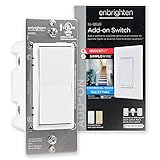
Overview: The Enbrighten Add-On Switch brings QuickFit and SimpleWire innovations to multi-location smart lighting control. This device cannot operate independently—it must pair with a compatible Wi-Fi, Z-Wave, or Zigbee primary switch. It enables control from up to five locations, upgrading traditional three-way circuits with smart functionality.
What Makes It Stand Out: The QuickFit technology reduces housing depth by 20% while eliminating heat tabs, making installation in cramped boxes dramatically easier. SimpleWire’s offset ground ports prevent screw interference. Its universal 120/277VAC rating supports both residential and light-commercial applications, a rare feature in this category.
Value for Money: Priced competitively with other add-on switches, the Enbrighten model adds value through its space-saving design and commercial-grade versatility. While requiring a primary smart switch investment, it costs significantly less than installing multiple independent smart switches for the same multi-location control.
Strengths and Weaknesses: Strengths include the compact design, broad voltage compatibility, reliable wireless communication, and seamless integration with Enbrighten/UltraPro controls. The ability to link four add-ons to one primary switch is impressive. Weaknesses include the non-standalone limitation (critical for buyers to understand), requirement for traveler wires, and limited aesthetic options compared to premium brands.
Bottom Line: A solid choice for expanding smart lighting across multiple locations. Its installation-friendly design makes it ideal for older homes with shallow boxes. Just confirm you own a compatible primary switch before purchasing.
10. Z-Wave Wireless Remote Control/Scene Controller, Aeotec WallMote 7, on/Off, dim, Trigger Scenes, add a New Switch Anywhere, Battery Powered, Z-Wave hub Required, Z-Wave Plus, illumino

Overview: The Aeotec WallMote 7 is a wireless, battery-powered remote control that adds Z-Wave scene control anywhere in your home. This versatile device functions as a wall-mounted switch, handheld remote, or junction-box controller without any wiring. It commands Z-Wave devices and scenes through six multi-tap buttons supporting various press patterns.
What Makes It Stand Out: The installation flexibility is unmatched—mount it with included tape, install in a standard box, or carry it as a remote. Each of the two touch-sensitive zones recognizes up to six gesture types (tap, hold, swipe), enabling complex scene control. The Z-Wave 700 series chip provides excellent range and battery life.
Value for Money: As a premium Z-Wave accessory, it’s priced higher than basic remotes but delivers unique flexibility. The ability to add a “switch” anywhere without wiring justifies the cost for renters or those unable to modify walls. Battery life concerns are offset by the convenience factor.
Strengths and Weaknesses: Strengths include versatile mounting options, multi-tap scene control, portability, S2 encryption, and impressive wireless range. The Z-Wave 700 platform ensures future compatibility. Weaknesses are the inevitable battery replacement requirement, dependency on hub scene support, learning curve for gesture commands, and premium pricing.
Bottom Line: Ideal for creating flexible scene control in rental properties or adding switches where wiring is impossible. Tech-savvy users will appreciate its advanced capabilities, but casual users may prefer simpler solutions.
Understanding Z-Wave Technology and Energy Savings
What Makes Z-Wave Different for Energy Management
Z-Wave operates on a low-frequency radio band that requires significantly less power than traditional Wi-Fi devices. This fundamental difference means the controllers themselves consume minimal standby power—often less than 0.8 watts compared to 2-4 watts for many Wi-Fi alternatives. The mesh network architecture also ensures signals hop efficiently between devices rather than blasting constant signals to a distant router, reducing overall network congestion and power draw.
The Physics of Smart Lighting Savings
Every lighting controller creates opportunities for savings through three mechanisms: elimination of waste, optimization of usage, and reduction of over-illumination. Smart scheduling ensures lights automatically turn off in empty rooms, adaptive dimming uses only the brightness needed for a task, and occupancy detection prevents hours of unnecessary operation. When combined, these features address the primary culprits behind excessive lighting energy consumption.
Types of Z-Wave Lighting Controllers
In-Wall Switches vs. Dimmers: Which Saves More
In-wall switches provide on/off control and work brilliantly for areas where full illumination is either needed or unnecessary. However, dimmers offer superior energy savings potential because they reduce voltage flow, directly cutting power consumption proportionally to brightness reduction. A light dimmed to 50% typically uses about 40% less electricity, creating compounding savings over time. Consider dimmers for living spaces, bedrooms, and dining areas where ambient lighting preferences vary throughout the day.
Plug-In Modules: Flexible Control for Lamps and Appliances
Plug-in modules transform ordinary floor lamps, table lights, and even some hard-to-reach fixtures into smart, energy-saving devices without any wiring. These portable controllers are perfect for renters or those testing smart lighting before committing to whole-home installation. Look for models with energy monitoring features that display real-time consumption data, helping you identify which lamps are the biggest energy drains and adjust usage patterns accordingly.
Scene Controllers and Whole-Room Management
Scene controllers manage multiple light sources simultaneously, allowing you to create “Movie Night” or “All Off” commands that control several fixtures with one button press. This centralized approach eliminates the energy waste of manually turning off individual switches, which often results in lights being left on in forgotten corners. Whole-room management ensures comprehensive shutdown when spaces aren’t in use.
Key Features for Maximum Energy Efficiency
Energy Monitoring Capabilities: Tracking Consumption in Real-Time
Advanced controllers include built-in energy monitoring that reports exact power usage to your smart hub. This granular data reveals patterns you never noticed—like that hallway light consuming 60 watts for 8 unnecessary hours daily. With real-time feedback, you can set usage alerts, identify inefficient bulbs, and quantify your savings with precision. Some systems even generate monthly reports comparing your consumption to similar households.
Adaptive Dimming and Auto-Brightness Adjustment
The most sophisticated controllers feature ambient light sensors that automatically adjust brightness based on available natural light. On bright afternoons, lights dim to 20% or turn off entirely. During overcast mornings, they gradually increase to maintain consistent illumination levels. This daylight-responsive dimming can reduce artificial lighting energy use by up to 40% in rooms with windows while maintaining perfect visual comfort.
Scheduling and Automation: The Set-and-Forget Approach
Programming lights to follow your family’s routine creates effortless savings. Morning schedules ensure lights turn off after everyone leaves for work, while evening routines provide security lighting that automatically adjusts for seasons. Vacation modes simulate occupancy to deter burglars while using minimal energy. The key is creating schedules that anticipate needs rather than reacting to them, preventing the “lights on all day” scenario that plagues busy households.
Compatibility and Integration Considerations
Hub Compatibility: Ensuring Seamless Communication
Not all Z-Wave controllers work equally well with every hub. Check for certification with your specific smart home platform—whether it’s Samsung SmartThings, Hubitat, Home Assistant, or another system. Look for devices supporting Z-Wave Plus, which offers extended range, better battery life, and improved interoperability. Proper hub integration ensures reliable automation that doesn’t fail silently, leaving lights on unnecessarily.
Bulb Type Compatibility: LED, CFL, and Incandescent Considerations
Modern LED bulbs offer the best energy savings but require compatible dimmers to avoid flickering or buzzing. Quality controllers specify minimum and maximum load requirements and list tested bulb brands. For CFLs, ensure the controller is specifically rated for fluorescent loads. Incandescent bulbs work with virtually any controller but offer the poorest efficiency—consider upgrading bulbs when installing smart controls to maximize savings.
Neutral Wire Requirements and Older Home Challenges
Many advanced dimmers require a neutral wire for proper operation, which wasn’t standard in homes built before the 1980s. Check your switch boxes before purchasing. For homes without neutral wires, specialized controllers designed for older electrical systems can provide smart functionality without rewiring. These models often use alternative technologies like dimming-only circuits or battery-powered switches that communicate with in-wall modules.
Installation and Setup Factors
DIY vs. Professional Installation: What to Know
Simple plug-in modules require no electrical knowledge, while in-wall switches demand basic wiring skills and safety precautions. If you’re comfortable turning off breakers and following diagrams, most single-pole switch replacements are manageable DIY projects. However, three-way switches, multi-location dimming, or homes with aluminum wiring warrant professional installation. Factor installation costs into your ROI calculations—paying an electrician $150 per switch changes the payback timeline significantly.
Range and Mesh Network Optimization
Z-Wave’s mesh network strength depends on device density and placement. Each powered device acts as a repeater, extending the network’s reach. Plan your controller placement strategically, ensuring no device is more than 30 feet from another Z-Wave node. Avoid metal junction boxes that can interfere with signals, and consider installing a range extender if you have a large home or thick walls that block radio frequencies.
Advanced Energy-Saving Strategies
Creating Energy-Saving Scenes and Routines
Design scenes with energy efficiency as the primary goal. “Evening Relax” might dim lights to 30% throughout common areas, while “Bedtime” ensures every light in the house turns off except for a dimmed path to bathrooms. “Work from Home” could optimize office lighting while keeping other rooms dark. The most effective routines anticipate occupancy and adjust automatically, learning your patterns over time.
Voice Control Integration and Hands-Free Savings
Linking your Z-Wave controllers to voice assistants enables instant, whole-home lighting control without physical switches. Simple commands like “turn off all lights” become powerful energy-saving tools when you’re rushing out the door or heading to bed. Voice control also encourages more frequent adjustments—it’s easier to say “dim living room lights to 20%” than walking to a wall switch, leading to more efficient usage patterns.
Occupancy Sensing and Vacancy Detection
Controllers with built-in motion sensors or those paired with separate Z-Wave occupancy sensors eliminate the primary source of lighting waste: human forgetfulness. Vacancy detection (manual on, automatic off) saves more energy than occupancy sensing (automatic on/off) because it prevents unnecessary activation from pets or passing shadows. Configure timeout periods realistically—10-15 minutes for busy areas, 2-3 minutes for closets and bathrooms.
Daylight Harvesting and Circadian Rhythm Support
The most advanced systems integrate with smart blinds or shades to maximize natural light usage. Morning routines gradually open blinds while adjusting artificial lighting, maintaining consistent illumination with minimal electricity. Circadian rhythm lighting automatically adjusts color temperature and brightness throughout the day, reducing evening energy use while improving sleep quality. This holistic approach treats windows and artificial lights as a unified lighting system.
Cost Analysis and Return on Investment
Initial Investment vs. Long-Term Savings
Quality Z-Wave controllers typically cost $30-$60 per switch, with premium dimmers reaching $80. Compare this to potential savings: replacing a 60-watt bulb running 8 hours daily with an 8-watt LED saves $20 annually at average electricity rates. Adding smart control that reduces usage by 30% saves another $6 per year per bulb. A $45 switch pays for itself in under 6 years, faster if you factor in convenience and security benefits.
Phantom Load Elimination and Standby Power Reduction
Traditional smart devices often draw significant standby power. Z-Wave controllers minimize this phantom load, typically consuming less than $1 per year in standby mode. Compare this to some Wi-Fi switches that cost $3-$5 annually just to stay connected. When multiplied across 20-30 switches in a typical home, Z-Wave’s efficiency advantage becomes substantial—often saving $50-$100 over five years in phantom load alone.
Troubleshooting and Maintenance
Common Setup Mistakes That Increase Energy Use
Improper configuration can negate potential savings. Setting motion sensors with overly long timeouts, creating conflicting schedules that leave lights on, or failing to update firmware can all increase consumption. The most common mistake is programming “all on” scenes without corresponding “all off” commands, leading to partial system operation. Regularly audit your automation rules to ensure they still match your lifestyle.
Firmware Updates and Performance Optimization
Manufacturers release firmware updates that improve energy efficiency, fix bugs, and enhance compatibility. Set your hub to automatically check for updates monthly. After updates, verify that schedules and scenes still function correctly—occasionally updates reset configurations. Performance optimization also includes periodically re-building your Z-Wave network mesh, especially after adding or removing devices, to ensure efficient routing.
Future-Proofing Your Smart Lighting Investment
Scalability: Planning for Future Expansion
Choose controllers that support the latest Z-Wave 700 series or 800 series standards, which offer better range and lower power consumption. Consider devices with over-the-air update capabilities to ensure compatibility with future smart home platforms. Plan your hub selection around open standards rather than proprietary systems, giving you flexibility to mix brands as technology evolves. A scalable system grows with your needs without requiring replacement of existing devices.
Matter and Thread Integration Considerations
The new Matter standard promises universal smart home interoperability. While Z-Wave remains a robust choice, consider controllers that support Matter bridging or dual-protocol operation. This forward-thinking approach ensures your lighting system won’t become obsolete as the industry consolidates around new standards. Some manufacturers are releasing firmware updates to add Matter support to existing Z-Wave devices, protecting your investment.
Frequently Asked Questions
How much can I realistically save on my electric bill with Z-Wave lighting controllers?
Most households reduce lighting energy costs by 30-60%, translating to $100-$300 annually depending on home size, current usage patterns, and electricity rates. The biggest savings come from eliminating forgotten lights, optimizing dimming levels, and automating schedules. Your first month typically shows immediate reduction of 15-20% as you eliminate obvious waste.
Will Z-Wave controllers work during internet outages?
Yes, Z-Wave operates locally on a mesh network independent of internet connectivity. Schedules, scenes, and direct control through your hub continue functioning even when broadband is down. However, remote access via smartphone apps and voice assistant integration require internet. The core energy-saving automation remains active regardless of connectivity.
Do I need to replace all my switches at once to see benefits?
Absolutely not. Start with high-traffic areas where lights are frequently left on—hallways, kitchens, and living rooms. A strategic approach focusing on 3-5 key locations often yields 70% of potential savings. Expand gradually as budget allows. Many users find that automating just the master bedroom and main living area cuts their lighting bill in half.
Are Z-Wave controllers compatible with dimmable LED bulbs?
Most modern Z-Wave dimmers work excellently with dimmable LEDs, but compatibility varies by brand. Look for controllers specifically tested with major LED manufacturers and featuring adjustable minimum brightness settings to prevent flickering. Some premium models include automatic load detection that calibrates itself to your specific bulbs, ensuring smooth dimming across the entire range.
How difficult is it to install Z-Wave switches myself?
Single-pole switch replacements are manageable DIY projects if you understand basic electrical safety: turn off breakers, test wires with a voltage tester, and follow wiring diagrams. Three-way switches, multi-gang boxes, and homes without neutral wires increase complexity. When in doubt, hire a licensed electrician—improper installation risks fire hazards and can void insurance.
Can Z-Wave controllers help with utilities other than lighting?
Yes, many plug-in modules control fans, space heaters, and small appliances. While lighting offers the biggest opportunity for savings, controlling these secondary loads adds another 10-15% reduction in overall electricity use. Some users connect coffee makers, dehumidifiers, or office equipment to prevent phantom loads and schedule operation during off-peak hours.
What’s the lifespan of a typical Z-Wave lighting controller?
Quality controllers last 10-15 years under normal use, far exceeding the lifespan of most smart home gadgets. The mechanical relay in on/off switches may wear slightly faster with heavy use, but solid-state dimmers have no moving parts and typically outlast the home’s other electrical components. Most manufacturers offer 3-5 year warranties, indicating confidence in long-term reliability.
Will adding many Z-Wave devices slow down my Wi-Fi network?
No, Z-Wave operates on a completely different radio frequency (908.42 MHz in North America) that doesn’t interfere with 2.4 GHz or 5 GHz Wi-Fi networks. In fact, by offloading lighting control from Wi-Fi to Z-Wave, you reduce wireless congestion and improve overall network performance. Z-Wave’s mesh design also means it becomes more robust as you add devices, unlike Wi-Fi which can become overloaded.
How do Z-Wave controllers compare to Wi-Fi smart switches for energy savings?
Z-Wave controllers typically save an additional $2-$4 per device annually in standby power consumption alone. Their mesh networking is more reliable, reducing instances of “offline” lights that can’t be controlled. While Wi-Fi devices offer easier setup, Z-Wave’s local operation ensures automation continues during internet outages, preventing waste from failed schedules. The cumulative advantage becomes significant in homes with 20+ controlled devices.
Can I mix Z-Wave controllers from different manufacturers?
Yes, Z-Wave is an open standard ensuring interoperability between brands. You can install a Leviton dimmer in the living room, a GE switch in the kitchen, and an Aeotec plug-in module for a bedroom lamp, all controlled through a single hub. Mixing brands allows you to select the best device for each specific application while maintaining unified control and energy-saving automation across your entire home.
See Also
- How to Solve High Energy Bills with the 10 Best Z-Wave Lighting Controllers in 2026
- Stop High Energy Bills with the 10 Best Energy-Saving LED Ceiling Lights This Year
- Stop High Energy Bills with the 10 Best Energy Efficient Light Bulbs This Year
- 10 Top-Rated Z-Wave Lighting Controllers According to Experts in 2026
- The 10 Ultimate Best Z-Wave Lighting Controllers for Seamless Integration in 2026