Table of Contents
Smart lighting has evolved from a luxury convenience into a fundamental component of modern home automation, and Z-Wave technology stands at the forefront of this transformation. As we move into 2026, homeowners are increasingly seeking lighting solutions that offer not just remote control, but true intelligent integration that responds to their lifestyle patterns while maintaining rock-solid reliability. The beauty of Z-Wave lies in its dedicated wireless protocol, designed specifically for smart home devices without competing with your Wi-Fi bandwidth or suffering from the interference that plagues many wireless systems.
Choosing the right Z-Wave lighting controller requires more than just comparing specifications—it demands a holistic understanding of your home’s architecture, your automation goals, and the ecosystem you’re building. Whether you’re illuminating a cozy apartment or orchestrating a multi-story smart home, the controllers you select will serve as the nervous system for your lighting, translating your commands into seamless ambiance and functionality. This comprehensive guide walks you through everything you need to know to make informed decisions about Z-Wave lighting controllers that will serve your home flawlessly for years to come.
Top 10 Z-Wave Lighting Controllers
Detailed Product Reviews
1. Zooz 800 Series Z-Wave Long Range Scene Controller ZEN32 800LR, White | Z-Wave Hub Required

Overview: The Zooz ZEN32 800LR is a versatile in-wall scene controller featuring a main load-controlling button plus four programmable scene buttons. Built on the 800 series Z-Wave chip, it supports both traditional mesh and new Long Range technology. The device handles up to 150W of LED lighting and requires a Z-Wave hub for operation. It functions as either a single-pole switch or a direct 3-way solution without needing companion switches, provided neutral wiring is present.
What Makes It Stand Out: This controller’s unique selling proposition is its hybrid functionality—combining a wired light switch with a four-button scene remote in a single gang box. The direct 3-way capability eliminates the cost and complexity of add-on switches, a significant advantage over competitors. The 800 series chip delivers superior signal penetration and the new Long Range protocol extends connectivity up to 1.5x previous generations. Seven distinct triggers on the main button plus individual scene buttons provide exceptional control density.
Value for Money: Priced competitively against premium Z-Wave switches, the ZEN32 effectively delivers two devices for the price of one. Purchasing a separate smart switch and battery-powered scene controller would cost 30-40% more. The elimination of add-on switches in 3-way configurations provides additional savings. However, the requirement for advanced hub compatibility and neutral wire may necessitate infrastructure investments that diminish initial value.
Strengths and Weaknesses: Pros include versatile hybrid operation, robust 800 series performance, direct 3-way wiring, S2 security, and excellent hub support with major platforms. The main button’s dual-mode (load control or wireless only) adds flexibility. Cons are the mandatory neutral wire limiting retrofit applications, hub-specific drivers required for full functionality, and that basic Z-Wave systems cannot access scene control features. Installation complexity exceeds standard switches.
Bottom Line: The ZEN32 800LR is an outstanding choice for users seeking centralized scene control with integrated load management. Its hybrid design and 3-way capability make it ideal for master bedrooms, entryways, and living spaces where both lighting control and scene activation are desired. Verify hub compatibility and neutral wire availability before purchasing.
2. Minoston 800 Series Z-Wave Scene Controller, 4 ZWave Button, Zwave Plus Wall Switch Remote Control, Support Long Range, Work with Z Wave Hubs (MR40Z)

Overview: The Minoston MR40Z is a battery-powered, four-button Z-Wave scene controller built on the 800 series platform. Designed for ultimate installation flexibility, it fits standard switch boxes or magnetically mounts to any flat surface without wiring. The device enables one-touch activation of up to 16 scene combinations (4 scenes per button) and requires a compatible Z-Wave hub. Its wireless design allows placement anywhere, making it ideal for adding control points without electrical work.
What Makes It Stand Out: True anywhere installation sets the MR40Z apart from wired competitors. The magnetic backing and battery power eliminate installation constraints, while the 800 series chip provides enhanced signal penetration and Long Range support. The 16-scene capacity (four per button via multi-tap) exceeds many rivals offering only single-tap functionality. Its ability to function as either a wall-mounted or handheld remote provides unmatched deployment versatility for renters and homeowners alike.
Value for Money: As a dedicated scene controller without load-controlling capability, the MR40Z sits at a mid-range price point. It offers excellent value compared to installing additional wired switches, especially considering zero electrician costs. However, its single-purpose design means you’ll still need separate switches for load control. Battery replacement every 1-2 years adds marginal long-term cost. For pure scene control flexibility, it undercuts Zooz’s battery model while maintaining 800 series advantages.
Strengths and Weaknesses: Pros include effortless installation, magnetic mounting versatility, 800 series performance with Long Range, 16-scene capacity, and clean aesthetic design. Battery operation enables placement anywhere. Cons involve ongoing battery maintenance, no direct load control, limited hub compatibility compared to Zooz, and potential signal delays in mesh networks without beaming support. The plastic construction feels less premium than some competitors.
Bottom Line: The MR40Z excels as a flexible, wire-free scene controller for users wanting portable smart home control. It’s perfect for nightstands, coffee tables, or rental properties where permanent installation isn’t possible. Choose this if you prioritize placement freedom over direct lighting control, and verify your hub supports advanced scene programming before purchasing.
3. Zooz 800 Series Z-Wave Long Range Dimmer & Scene Controller ZEN35 800LR, White | Z-Wave Hub Required

Overview: The Zooz ZEN35 800LR merges dimming functionality with scene control in a single in-wall device. It controls 120V LED fixtures up to 150W with full dimming capability while offering seven programmable triggers on the main button. The 800 series chip delivers Long Range support and S2 security. Like its sibling ZEN32, it requires a Z-Wave hub and neutral wire, functioning as either a single-pole or direct 3-way switch without companion devices. This hybrid approach suits rooms needing both precise lighting levels and scene activation.
What Makes It Stand Out: Dimming integration distinguishes the ZEN35 from standard scene controllers. The main paddle provides true dimming control while supporting seven distinct tap sequences for scene triggering—effectively eight functions in one control point. The direct 3-way capability remains a standout feature, eliminating expensive add-on switches. Long Range technology extends reliable connectivity beyond traditional Z-Wave limits, making it ideal for detached garages or outbuildings. The ability to decouple the main button from load control enables pure scene controller mode when needed.
Value for Money: The ZEN35 commands a modest premium over non-dimming scene controllers but costs significantly less than purchasing separate Z-Wave dimmers and battery remotes. In 3-way configurations, savings multiply by avoiding companion switches. For LED fixtures requiring dimming, this represents strong value. However, if dimming isn’t required, the ZEN32 offers similar functionality at a lower price point. The investment pays dividends in rooms where lighting ambiance matters.
Strengths and Weaknesses: Pros include integrated dimming, versatile main button operation, 800 series performance, direct 3-way wiring, and robust security. The seven triggers provide extensive control options. Cons mirror the ZEN32: mandatory neutral wire complicates retrofits, hub-specific configuration required, and limited compatibility with basic Z-Wave systems. Dimming calibration may require manual adjustment for certain LED brands. The device occupies a single gang but commands premium pricing.
Bottom Line: The ZEN35 800LR is the ideal solution for spaces requiring both dimming and scene control from one location. Master bedrooms, dining rooms, and media rooms benefit most from its dual functionality. Confirm your lighting is dimmable and your hub supports advanced configuration. For non-dimming applications, consider the ZEN32 to save money.
4. Zooz 800 Series Z-Wave Long Range Remote Control & Scene Controller ZEN34 (Battery Powered), White | Z-Wave Hub Required

Overview: The ZEN34 is a battery-powered remote controller designed to mimic traditional paddle switches. It features two paddles that function as four distinct buttons for scene control, magnetically mounting to surfaces or fitting in switch boxes. The 800 series chip enables Long Range connectivity up to 1300 feet when paired with compatible hubs. Powered by a CR2032 battery, it requires no wiring and works exclusively as a scene controller. Compatibility is limited to advanced hubs including Z-Box, HomeSeer, Hubitat, and Home Assistant.
What Makes It Stand Out: The ZEN34’s authentic paddle design provides tactile feedback that flat button remotes lack, making it intuitive for users accustomed to traditional switches. Its exceptional 1300-foot Long Range capability surpasses most battery controllers, ensuring reliable operation in large properties. The magnetic base offers true anywhere installation without adhesives. Unlike the MR40Z, the paddle form factor allows for natural dimming gestures when configured with compatible hubs. Zooz’s strict hub compatibility list ensures reliable performance rather than partial functionality.
Value for Money: Positioned as a premium battery controller, the ZEN34 costs more than button-style remotes but delivers superior range and authentic switch feel. It eliminates installation costs entirely while providing flexibility that wired switches cannot match. For users wanting switch-like control in impossible-to-wire locations, value is exceptional. However, the single-purpose design means it cannot replace actual load-controlling switches. Battery life of 1-2 years adds minimal operational cost. The premium is justified for range and build quality.
Strengths and Weaknesses: Pros include realistic paddle operation, exceptional Long Range performance, magnetic mounting versatility, clean aesthetic, and robust 800 series security. The form factor integrates seamlessly with existing switch plates. Cons involve battery dependency, limited hub compatibility compared to some competitors, no direct load control, and higher price than button alternatives. The strict hub requirement may exclude some users.
Bottom Line: The ZEN34 is perfect for adding authentic switch control anywhere wiring is impractical. Its superior range makes it ideal for large homes, detached structures, or metal buildings where standard Z-Wave struggles. Choose this over button controllers if tactile paddle operation matters to you. Verify hub compatibility first, as Zooz’s warnings about unsupported systems are accurate.
5. Z-Stick 10 Pro - Zigbee 3.0 & Z-Wave 800 Series USB Adapter - Works with HomeAssistant - Zigbee2MQTT - Z-Wave Controller - Z-Wave Long Range - Up to 1 Mile Wireless Range - cloudfree

Overview: The Z-Stick 10 Pro is a dual-protocol USB adapter combining Z-Wave 800 series Long Range (up to 1 mile) and Zigbee 3.0 radios in a compact form factor. Designed for DIY smart home enthusiasts, it enables HomeAssistant, Zigbee2MQTT, and Z-Wave JS platforms to communicate with over 8000 devices. The slim design prevents USB port blockage, and it operates without cloud dependencies. It functions solely as a coordinator, not a end-device, requiring a host system for operation.
What Makes It Stand Out: Dual-radio integration in a single USB stick is exceptionally rare, eliminating the need for separate Z-Wave and Zigbee coordinators. The 1-mile Z-Wave Long Range capability dramatically exceeds standard controllers, enabling coverage of large properties and outbuildings from a single location. The Zigbee 3.0 chip supports the full device ecosystem while maintaining high signal quality. Its compact, non-blocking design is thoughtfully engineered for Raspberry Pi and NUC installations where USB real estate is precious. Cloud-free operation ensures privacy and local control.
Value for Money: At a price point comparable to premium single-protocol sticks, the Z-Stick 10 Pro delivers double the functionality, representing outstanding value. Purchasing separate Z-Wave and Zigbee coordinators would cost 60-80% more and consume additional USB ports. The extreme range reduces need for mesh repeaters in large installations, generating further savings. For HomeAssistant users, this is arguably the best value coordinator available. The investment pays immediate dividends in reduced hardware complexity and expanded device choice.
Strengths and Weaknesses: Pros include dual-protocol support, exceptional 1-mile Z-Wave range, compact non-blocking design, broad compatibility with 8000+ devices, and complete local operation. It consolidates two coordinators into one. Cons involve requiring technical expertise to configure, no standalone operation (must remain connected to host), potential RF interference between radios in dense device environments, and limited support for commercial platforms beyond HomeAssistant. Firmware updates require manual intervention.
Bottom Line: The Z-Stick 10 Pro is essential hardware for HomeAssistant users wanting both Z-Wave and Zigbee ecosystems. Its unmatched range and dual-radio design make it the smartest coordinator investment for large properties or new builds. Novices may face a learning curve, but the community support is robust. This single purchase eliminates the need for multiple coordinators while future-proofing your smart home infrastructure.
6. GE Enbrighten Z-Wave Plus Smart Switch Plug-In, 2 Simultaneously Controlled Z-Wave Outlets, Works with Alexa, Google Assistant, Repeater/Range Extender, ZWave Hub Required, 14282, White

Overview: The GE Enbrighten Z-Wave Plus Smart Switch Plug-In delivers dual-outlet smart control without wiring modifications. This plug-in device connects to any standard outlet and simultaneously controls two lamps or small appliances through Z-Wave. Requiring a certified hub like SmartThings or Ring, it enables smartphone control and Alexa/Google Assistant voice commands. The unit doubles as a Z-Wave repeater, extending mesh network coverage while providing automation through custom scenes and scheduling.
What Makes It Stand Out: Simultaneous dual-outlet operation distinguishes this from single-plug alternatives, perfect for paired lamps. Its space-saving design leaves the second wall outlet free, preventing blockage—a common smart plug frustration. The integrated repeater actively strengthens your Z-Wave mesh, eliminating dead zones without dedicated extenders. Manual ON/OFF provides backup control when networks fail. Compatibility with all bulb types (LED, CFL, incandescent, halogen) adds versatility across applications.
Value for Money: This device offers strong value compared to purchasing two separate smart plugs plus a standalone repeater. It eliminates installation costs entirely, making it ideal for renters. The consolidated design saves outlet space while delivering network enhancement. GE’s reputation for durability suggests long-term reliability that justifies the moderate price premium over budget options. For Z-Wave network expansion, it’s one of the most cost-effective repeater solutions available.
Strengths and Weaknesses: Pros include true plug-and-play setup, simultaneous dual-device control, built-in range extension, broad hub compatibility, manual override, and load versatility. The compact form factor preserves outlet access. Cons: outlets cannot be controlled independently, limiting flexibility. Requires Z-Wave hub (additional investment). Some users experience occasional latency with certain hub combinations. The 2.4 GHz frequency may interfere with crowded Wi-Fi environments.
Bottom Line: Perfect for renters and Z-Wave beginners, this plug-in switch automates paired devices effortlessly while strengthening your mesh network. The inability to control outlets separately is a real constraint, but for symmetrical lighting or synchronized appliances, it’s an efficient solution. If you need independent control, look elsewhere. For those seeking easy installation, network expansion, and coordinated device operation, this delivers reliable performance and excellent value in one package.
7. Zooz Z-Wave Long Range Smart Lighting XS Relay ZEN57 800LR | Z-Wave Hub Required (Sold Separately)

Overview: The Zooz ZEN57 800LR XS Relay provides Z-Wave control for lighting circuits where space is minimal or neutral wires are absent. This ultra-compact device installs directly at the fixture or in crowded switch boxes, controlling up to 150W of LED lighting. It connects to standard toggle or momentary wall switches through dry contact inputs—no voltage passes through switch wires, enabling maximum flexibility. Requiring a Z-Wave hub, it supports advanced features like smart bulb mode and central scene control on compatible platforms, with S2 security and SmartStart pairing.
What Makes It Stand Out: The minuscule size makes this relay revolutionary for challenging installations, fitting where traditional smart switches cannot. Dry contact input allows use of any style switch without electrical compatibility concerns. The 800LR (Long Range) technology extends Z-Wave coverage significantly beyond standard range. S2 authenticated security and SmartStart provide instant, safe pairing—critical advantages over older Z-Wave devices. The optional 5-year extended warranty (with registration) demonstrates manufacturer confidence. Built-in timers and customization add sophistication for power users.
Value for Money: This relay excels in value for specific scenarios: no-neutral installations, retrofits in shallow boxes, or fixture-mounted control. It avoids expensive electrical rewiring while delivering premium features like long-range communication and advanced security. The extended warranty option enhances long-term value. Compared to hiring an electrician or using less-capable alternatives, the ZEN57 justifies its price through problem-solving capability and robust features. However, for standard installations with neutral wires, cheaper options exist.
Strengths and Weaknesses: Pros: incredibly compact design, no-neutral compatibility, dry contact switch flexibility, 800LR range, S2 security, SmartStart pairing, lifetime tech support, extended warranty option. Cons: requires Z-Wave hub, limited to 150W LED, cannot use dimmer or electronic switches, more complex installation than plug-in options, premium pricing for basic needs. Advanced features depend on hub support.
Bottom Line: The ZEN57 is a specialist tool that excels in difficult installations where other smart switches fail. For homes lacking neutral wires or with overcrowded boxes, it’s arguably the best solution available. The long-range capability and security features future-proof your investment. If you’re dealing with standard wiring and space, simpler options work fine. But for challenging retrofits or maximum range, this tiny relay delivers exceptional performance and flexibility that justify its cost.
8. UltraPro 700 Series Add-On Switch QuickFit and SimpleWire, in-Wall White Rocker Paddle Only, Z-Wave ZigBee Wireless Smart Lighting Controls, NOT A STANDALONE Switch, 2 Pack, 68899

Overview: The UltraPro 700 Series Add-On Switch enables multi-location control when paired with compatible smart switches or dimmers. This is NOT a standalone device—it requires a primary Wi-Fi, Z-Wave, or Zigbee smart control. The 2-pack allows upgrading two separate three-way circuits or creating four-way configurations. Designed for seamless integration with Enbrighten and UltraPro smart controls, it replicates primary switch functions from up to five locations. The switch supports both residential (120VAC) and light-commercial (277VAC) applications, making it versatile across environments.
What Makes It Stand Out: Revolutionary QuickFit design reduces housing depth by 20%, solving installation headaches in shallow or overcrowded boxes. SimpleWire technology features offset ground ports that avoid interference with switch box mounting screws—a thoughtful engineering detail that speeds installation. The universal 120/277VAC rating exceeds typical residential switch capabilities, enabling use in office buildings or commercial spaces. Changeable paddles (white and light almond included, with black, brown, ivory options available) provide aesthetic flexibility. Multi-switch operation supports up to four add-ons with one primary control.
Value for Money: The 2-pack delivers solid value for multi-circuit upgrades, effectively halving the per-switch cost compared to individual purchases. It eliminates the need to replace every switch in a three-way circuit with expensive smart switches—only the primary needs full smarts. The commercial rating adds value for mixed-use properties. While requiring an initial investment in primary smart controls, these add-ons dramatically reduce overall project costs for whole-home automation. Premium construction suggests durability that justifies the price over basic mechanical switches.
Strengths and Weaknesses: Pros: space-saving QuickFit design, SimpleWire installation ease, commercial voltage rating, versatile compatibility within brand ecosystem, changeable paddles, cost-effective multi-location control. Cons: NOT standalone (requires compatible primary smart switch), limited to Enbrighten/UltraPro ecosystem, no smart functionality alone, premium price over traditional three-way switches. Installation still requires electrical work.
Bottom Line: These add-on switches are essential companions for Enbrighten or UltraPro smart switch installations in multi-location circuits. They solve physical installation challenges brilliantly while maintaining aesthetic consistency. If you’ve already invested in the ecosystem, they’re invaluable for expanding control without buying multiple expensive smart switches. However, the ecosystem lock-in means they’re useless with other brands. For compatible setups, they deliver excellent value and installation convenience that electricians will appreciate.
9. Enbrighten Add-On Switch QuickFit and SimpleWire, In-Wall Rocker Paddle, Z-Wave ZigBee Wireless Smart Lighting Controls, NOT A STANDALONE Switch, 46199 , White and Light Almond
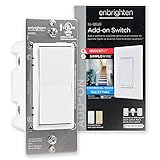
Overview: The Enbrighten Add-On Switch with QuickFit and SimpleWire provides multi-location control for Z-Wave, Zigbee, or Wi-Fi smart lighting systems. This is NOT a standalone device—it must be paired with a compatible primary smart control from Enbrighten or UltraPro. The switch enables operation from up to five locations, replicating the primary switch’s full functionality. It supports both 120VAC residential and 277VAC light-commercial applications, making it suitable for diverse environments. The package includes both white and light almond paddles, with additional colors available separately.
What Makes It Stand Out: QuickFit technology reduces housing depth by up to 20% compared to previous models while eliminating heat tabs, creating the slimmest add-on switch available. This solves critical space constraints in older homes with shallow boxes or multigang configurations. SimpleWire’s offset ground ports prevent interference with mounting screws, streamlining installation. The universal voltage rating (120/277VAC) exceeds residential standards, offering future-proofing for commercial applications. The switch seamlessly integrates with the full Enbrighten ecosystem, maintaining consistent performance and aesthetics across your installation.
Value for Money: As a single-pack option, this add-on switch provides targeted value for single-circuit upgrades without forcing a multi-pack purchase. It delivers significant cost savings compared to installing smart switches at every location—only one primary smart device is needed per circuit. The commercial rating adds versatility for properties with mixed residential-commercial use. While requiring a compatible primary switch, it reduces overall project expenses for three-way and four-way circuits. Premium build quality ensures longevity that justifies the investment over mechanical alternatives.
Strengths and Weaknesses: Pros: exceptionally compact QuickFit design, SimpleWire installation convenience, universal voltage support, seamless ecosystem integration, included color options, cost-effective multi-location expansion. Cons: requires compatible primary smart switch (Enbrighten/UltraPro only), no standalone functionality, still needs electrical installation, premium pricing compared to traditional add-on switches. Ecosystem lock-in limits flexibility.
Bottom Line: This Enbrighten add-on switch is ideal for expanding existing Enbrighten or UltraPro smart switch installations to multiple locations. Its space-saving design solves installation challenges that plague other add-ons, making it perfect for older homes or crowded boxes. If you’re already invested in the ecosystem, it’s an essential component for complete automation. The single-pack flexibility is welcome for smaller projects. However, brand exclusivity means it’s useless without a compatible primary switch. For those with the right setup, it delivers exceptional installation ease and reliable performance.
10. Z-Wave Wireless Remote Control/Scene Controller, Aeotec WallMote 7, on/Off, dim, Trigger Scenes, add a New Switch Anywhere, Battery Powered, Z-Wave hub Required, Z-Wave Plus, illumino

Overview: The Aeotec WallMote 7 is a battery-powered Z-Wave remote that adds wireless scene control anywhere without wiring. This versatile controller commands Z-Wave devices directly and triggers scenes through a compatible hub. Featuring six configurable buttons supporting multi-tap gestures, it provides ON/OFF, dimming, and scene activation. The WallMote 7 can be surface-mounted with included tape, installed in a standard junction box, or used as a handheld remote. Z-Wave 700 series technology delivers extended range up to 144ft indoors with S2 encryption.
What Makes It Stand Out: Complete wireless freedom allows placement literally anywhere—on walls, nightstands, or carried as a remote—solving control location limitations permanently. Multi-tap functionality on six buttons creates up to 24 possible commands, enabling complex scene control from a single device. The Z-Wave 700 series chipset provides superior range and battery life compared to older models. S2 encryption and SmartStart ensure secure, hassle-free pairing. Flexible mounting options adapt to any use case without permanent installation. The sleek design resembles a permanent switch while offering portable convenience.
Value for Money: The WallMote 7 justifies its premium price by eliminating costly electrical work for new switch locations. It delivers four devices in one: wall switch, handheld remote, scene controller, and portable automation panel. For renters or historic homes where wiring modifications are prohibited, its value is immeasurable. Battery life typically spans 6-12 months, minimizing maintenance costs. Compared to installing a new hardwired switch, it pays for itself immediately in electrician savings. However, for simple single-device control, cheaper alternatives exist.
Strengths and Weaknesses: Pros: completely wireless installation, exceptional placement flexibility, multi-tap scene control, Z-Wave 700 range and efficiency, S2 security, three mounting options, sleek aesthetics, portable use. Cons: requires periodic battery changes, depends entirely on hub functionality, premium price for basic needs, may be over-complex for simple applications, Z-Wave only. Some users report initial setup complexity.
Bottom Line: The WallMote 7 is the ultimate solution for adding convenient control points without cutting drywall or running wires. Perfect for bedside tables, entryways, or anywhere you wish you had a switch, it delivers sophisticated scene control in an elegant package. The battery requirement is a minor trade-off for unlimited placement flexibility. If you need simple remote control, cheaper options work. But for comprehensive scene management and flexible positioning, this premium remote excels. It’s particularly valuable for renters, multi-story homes, or complex automation setups requiring multiple control points.
Understanding Z-Wave Technology for Lighting Control
What Makes Z-Wave Different for Smart Lighting
Z-Wave operates on a dedicated 800-900 MHz frequency band, keeping it separate from the crowded 2.4 GHz and 5 GHz Wi-Fi spectrums. This separation eliminates the frustrating lag and dropped connections that can occur when your lighting competes with streaming video, video calls, and other bandwidth-intensive activities. For lighting controllers, this means near-instantaneous response times when you flip a virtual switch or trigger an automated scene.
The protocol’s low-power consumption design also means that battery-powered devices like remote controls and sensors can last for years without replacement, while hardwired controllers maintain efficient operation without adding significant energy overhead to your electrical system.
The Mesh Network Advantage in Home Illumination
Every powered Z-Wave device acts as a signal repeater, creating a self-healing mesh network that grows stronger with each addition. When you install lighting controllers throughout your home, they don’t just control your lights—they extend the reach of your entire smart home network. A controller in your foyer helps carry signals to sensors in your backyard, while a bedroom dimmer switch ensures commands reach the smart lock on your front door.
This mesh architecture proves particularly valuable in larger homes or properties with thick walls that typically block wireless signals. Your lighting controllers become communication nodes, ensuring that a command issued from your basement reaches the attic bedroom without fail.
Key Benefits of Z-Wave Lighting Controllers
Energy Efficiency and Cost Savings
Modern Z-Wave controllers incorporate sophisticated power monitoring capabilities that track electricity consumption at the circuit level. By analyzing usage patterns, you can identify which lights consume the most energy and optimize their operation schedules. Dimming capabilities alone can reduce energy consumption by up to 40% for incandescent bulbs and 15% for LEDs, while automated scheduling ensures lights never stay on in empty rooms.
The real savings emerge when controllers integrate with occupancy sensors and daylight harvesting. Your system can automatically dim perimeter lights when natural sunlight is abundant, or turn off basement lights ten minutes after motion ceases, translating into measurable reductions on your monthly utility bills.
Enhanced Security Through Automated Lighting
Strategic lighting automation creates the illusion of occupancy, deterring potential intruders more effectively than static timer switches. Z-Wave controllers enable you to program varied lighting patterns that mirror actual human behavior—living room lights at 7 PM, kitchen lights at 8 PM, bedroom lights at 10:30 PM, with randomized timing that never appears mechanical.
Integration with security systems allows for intelligent responses to potential threats. If a perimeter sensor detects unexpected motion at 2 AM, your controllers can instantly illuminate all exterior lights and flash interior lights in occupied rooms, creating a disorienting environment for intruders while alerting you to the situation.
Unparalleled Customization Options
Unlike proprietary lighting systems that lock you into a single manufacturer’s ecosystem, Z-Wave controllers offer granular control over fade rates, double-tap functions, and multi-way switching configurations. You can program a single switch to control multiple zones, set different dimming curves for various bulb types, or create custom LED indicator colors that reflect system status or weather conditions.
This flexibility extends to physical installation as well. Many controllers work with existing decorator-style wall plates, allowing you to maintain your home’s aesthetic while upgrading functionality. The ability to customize button functions means a three-gang box can control six different lighting zones through single, double, and long-press actions.
Essential Features to Evaluate
Compatibility and Interoperability Standards
When selecting Z-Wave lighting controllers, verify Z-Wave Plus certification, which ensures backward compatibility while providing extended range and improved battery life. For 2026 installations, look for devices supporting Z-Wave 700 series or 800 series chips, offering longer range and enhanced security through SmartStart QR code provisioning.
Consider the S2 security framework, which provides encrypted communication and protection against common network attacks. Controllers with S2 certification ensure your lighting commands remain private and cannot be intercepted or spoofed by malicious actors.
Range and Signal Strength Considerations
While Z-Wave Plus devices boast ranges up to 150 meters in open air, interior walls, metal junction boxes, and electrical interference reduce effective distances significantly. Evaluate your home’s construction materials—brick, concrete, and stone walls attenuate signals more than drywall. For multi-story homes, plan for at least one powered device per floor to maintain robust mesh connectivity.
Controller placement matters immensely. Avoid installing devices inside metal enclosures or directly behind refrigerators and other large appliances. Consider installing a dedicated range extender in homes exceeding 3,000 square feet or with detached structures like garages and guest houses.
Installation Complexity and Requirements
Assess your electrical comfort level before selecting controllers. Some models require neutral wires, which may be absent in older homes built before the 1980s. For these situations, seek out controllers designed for two-wire installations, though they may support smaller maximum loads and fewer bulb types.
Multi-way switching configurations—where three or more switches control the same light—demand careful planning. Ensure your chosen controllers support compatible traveler wire configurations or virtual three-way setups that eliminate the need for physical traveler wires entirely.
Hub and Gateway Integration Capabilities
Your lighting controllers must communicate with a central hub to unlock their full potential. Verify compatibility with your existing hub—whether it’s a dedicated Z-Wave gateway, a broader smart home platform, or a security system with automation features. Some controllers offer direct Wi-Fi connectivity as a fallback, but this often sacrifices the mesh networking benefits that make Z-Wave powerful.
Examine the hub’s automation engine capabilities. Can it handle complex conditional logic? Does it support variables and timers? The most sophisticated controller becomes limited if paired with a hub that only offers basic scheduling.
Dimming Capabilities and Load Types
Not all dimmers work with all bulbs. LED compatibility remains the primary concern, as incompatible combinations cause flickering, buzzing, or failure to turn off completely. Look for controllers with adjustable minimum dimming levels and neutral wire requirements, as these provide the best LED performance.
Understand your load types: resistive (incandescent), capacitive (LED), and inductive (fluorescent, motor loads). Quality controllers specify maximum loads for each type—typically 600W for incandescent but only 150W for LED due to inrush current. For controlling ceiling fans or motors, ensure the controller explicitly supports inductive loads.
Scene and Automation Programming
Advanced controllers support Z-Wave Central Scene commands, enabling direct triggering of hub automations from the switch itself. This allows a double-tap up to activate a “Movie Time” scene that dims lights, closes smart blinds, and turns on your AV system simultaneously.
Evaluate the controller’s onboard scene memory. Devices with local scene storage continue operating basic lighting routines even if your hub goes offline, ensuring essential functions remain available during internet outages or hub failures.
Voice Assistant Integration
While Z-Wave doesn’t natively communicate with Alexa or Google Assistant, your hub serves as the translation layer. Verify that your hub supports the voice platforms you use and that it can expose lighting devices with meaningful names and room assignments. For Apple HomeKit integration, ensure your hub supports HomeKit bridging or that controllers offer native HomeKit compatibility through special firmware.
Consider response time—local processing hubs provide faster voice command execution than cloud-dependent systems. When you say “turn off the kitchen lights,” a local hub can execute the command in under 200 milliseconds, while cloud-reliant systems may take 1-2 seconds.
Firmware Update Mechanisms
Smart home security requires regular firmware updates to patch vulnerabilities and add features. Evaluate how controllers receive updates—over-the-air (OTA) updates through your hub represent the most convenient method. Some manufacturers require proprietary hubs for updates, limiting your flexibility.
Check the manufacturer’s track record for supporting legacy devices. Companies that provide updates for five or more years protect your investment and ensure compatibility with evolving Z-Wave standards.
Planning Your Z-Wave Lighting Ecosystem
Assessing Your Home’s Layout and Needs
Begin with a room-by-room audit of your current lighting. Count switches, identify three-way configurations, and note which circuits control overhead lighting versus lamps. Pay special attention to outdoor lighting, as these circuits often benefit most from automation and require weather-resistant controllers rated for damp or wet locations.
Consider lifestyle patterns—do you entertain frequently? Work from home? Travel often? These factors influence which rooms need advanced scene control versus simple on/off automation. A home office might benefit from daylight harvesting and circadian rhythm lighting, while guest rooms may only need basic scheduling.
Indoor vs Outdoor Controller Selection
Outdoor installations demand controllers with appropriate NEMA ratings. Damp-location ratings suffice for covered porches, while wet-location ratings are essential for exposed fixtures. Temperature operating ranges become critical in extreme climates—verify that outdoor controllers function reliably from -20°F to 120°F.
For landscape lighting, consider dedicated low-voltage Z-Wave controllers that integrate with transformer systems. These specialized devices control multiple zones independently, allowing you to illuminate pathways, accent trees, and highlight architecture with separate schedules and brightness levels.
New Construction vs Retrofit Installations
New construction offers the luxury of installing controllers in ideal locations with proper neutral wires and adequate junction box depth. Plan for deep boxes that accommodate the additional depth of smart switches, and consider pre-wiring for future expansion.
Retrofit projects require more creativity. Surface-mount controllers that attach to existing switches provide non-invasive solutions for renters or historically preserved homes. Battery-powered dimmers that stick to walls using adhesive strips offer flexible control placement without cutting into plaster or drywall.
Integration Strategies for Seamless Operation
Creating Scenes and Automation Routines
Effective lighting automation transcends simple scheduling. Design scenes that serve multiple purposes—your “Good Morning” scene might gradually brighten bedroom lights over 15 minutes, turn on bathroom lights at 30% brightness, and illuminate the kitchen pathway. Layer in conditions: only run on weekdays, only when you’re home, and only if sunrise hasn’t already occurred.
Use variables to create adaptive lighting. Track which family member triggered a scene and adjust accordingly—bright white light for dad’s midnight snack run, dim red light for mom’s early morning coffee. The possibilities expand exponentially when controllers communicate with motion sensors, door locks, and even weather stations.
Third-Party Platform Compatibility
While Z-Wave creates a unified mesh, integration with broader platforms unlocks next-level functionality. Look for controllers that support MQTT for integration with home automation software like Home Assistant or OpenHAB. This enables complex scripting and data logging beyond what consumer hubs typically offer.
For professional installations, verify compatibility with control systems like Control4, Crestron, or Elan. These platforms offer sophisticated user interfaces and whole-home integration but may require specific controller firmware versions or certification programs.
Mobile App Control and Remote Access
Evaluate the user experience of the controller’s companion app, even if you primarily use a central hub. Apps that offer direct device control provide valuable backup when your hub is offline. Look for intuitive interfaces that allow quick brightness adjustments, scene activation, and schedule modifications without navigating complex menus.
Geofencing capabilities enable location-based automation—lights turn on as you approach your driveway and turn off when the last family member leaves. Ensure the app supports multiple users with granular permission controls, allowing houseguests to control guest room lighting without accessing your entire system.
Troubleshooting and Maintenance
Common Connectivity Issues
When a controller fails to respond, the issue rarely lies with the device itself. Start by checking for recent hub updates that may have changed device handlers or security settings. Z-Wave network heal operations, which rebuild routing tables, often resolve intermittent connectivity problems.
Interference from USB 3.0 devices, baby monitors, and certain LED power supplies can disrupt Z-Wave signals. Use a Z-Wave spectrum analyzer—available as inexpensive USB dongles—to identify noise sources and relocate either the interference source or your mesh devices.
Network Optimization Techniques
Maintain a healthy mesh by including at least one powered Z-Wave device every 30 feet. Periodically run network optimization utilities that update neighbor tables and signal strength metrics. Remove failed nodes promptly, as they create routing black holes that degrade performance.
For stubborn devices, consider adjusting Z-Wave power levels. Some controllers allow you to reduce transmission power to prevent oversaturation in small spaces, or boost power to penetrate difficult areas. These adjustments require advanced hub configurations but can transform a flaky network into a rock-solid foundation.
Future-Proofing Your Investment
Z-Wave Long Range and Emerging Standards
Z-Wave Long Range (ZWLR) technology, introduced in the 700 series, extends point-to-point range up to several miles while maintaining mesh compatibility. While primarily used for sensors and door locks currently, expect lighting controllers to adopt ZWLR for outbuilding control and large property applications.
The 800 series chips bring lower power consumption and improved security, making them ideal for battery-powered controllers and reducing heat generation in wall switches. When selecting controllers in 2026, prioritize 800 series devices to ensure maximum longevity.
Matter Protocol Interoperability
Matter, the new smart home standard backed by major tech companies, promises seamless interoperability between ecosystems. While Matter doesn’t natively replace Z-Wave, many hubs now serve as Matter bridges, exposing Z-Wave lighting devices to Matter-compatible platforms. This hybrid approach ensures your Z-Wave controllers remain relevant as the industry evolves.
Look for controllers with firmware upgrade paths to Matter compatibility. Some manufacturers have announced plans to update existing Z-Wave devices to function as Matter controllers themselves, potentially allowing Z-Wave switches to control Thread and Wi-Fi devices directly.
Frequently Asked Questions
What is the typical lifespan of a Z-Wave lighting controller?
Quality Z-Wave lighting controllers typically last 10-15 years under normal use. The mechanical relay components usually fail first, with an expected lifespan of about 100,000 switching cycles. Electronic components and Z-Wave radios often outlast the mechanical parts. Manufacturers generally warranty devices for 2-5 years, but many units continue functioning well beyond that period.
Can I mix Z-Wave controllers from different manufacturers?
Yes, Z-Wave’s interoperability standards ensure devices from different manufacturers work together seamlessly. You can install a controller from Company A, another from Company B, and control both through a hub from Company C. The Z-Wave Alliance certification process guarantees basic functionality across brands, though advanced features like proprietary scene control may require devices from the same manufacturer.
Do Z-Wave lighting controllers work during internet outages?
Absolutely. Z-Wave creates a local mesh network that operates independently of your internet connection. Basic on/off and dimming functions work directly through physical buttons, and any scenes or automations stored locally on your hub continue operating. However, remote access via smartphone apps and voice assistant control typically require internet connectivity.
How many devices can I add to my Z-Wave network?
A standard Z-Wave network supports up to 232 devices, including your hub. In practice, most residential installations rarely exceed 50-75 devices. For large estates or commercial applications, you can create multiple Z-Wave networks using additional hubs, though managing them requires more sophisticated coordination.
Will Z-Wave controllers interfere with my Wi-Fi security cameras?
No, Z-Wave operates on completely different frequencies (800-900 MHz) than Wi-Fi (2.4 GHz and 5 GHz). They don’t interfere with each other. In fact, Z-Wave can actually improve your smart home’s reliability by offloading lighting control from Wi-Fi, freeing up bandwidth for bandwidth-intensive devices like cameras and streaming devices.
Can I install Z-Wave controllers myself or do I need an electrician?
If you’re comfortable working with electrical wiring and understand basic safety procedures, you can install most Z-Wave controllers yourself. However, local electrical codes may require licensed electricians for certain installations. Always turn off power at the breaker, verify with a non-contact voltage tester, and consult local regulations. For multi-way switches or when neutral wires are absent, professional installation ensures safety and proper functionality.
What’s the difference between Z-Wave and Z-Wave Plus?
Z-Wave Plus, introduced in 2016, offers 50% longer range, 250% longer battery life, improved bandwidth, and Over-The-Air (OTA) firmware updates. All Z-Wave Plus devices are backward compatible with original Z-Wave hubs, but pairing Plus devices with Plus hubs unlocks enhanced features. For new installations in 2026, always choose Z-Wave Plus certified controllers.
How do I reset a Z-Wave lighting controller?
Most controllers feature a physical reset button or a specific button-press sequence. Typically, this involves holding the main button for 10-20 seconds until an LED indicator changes color or flashes. After hardware reset, you must exclude the device from your Z-Wave network through your hub’s interface before re-adding it. Consult the manufacturer’s documentation for specific procedures, as sequences vary between models.
Can Z-Wave controllers handle LED strip lighting?
Standard Z-Wave wall switches cannot directly control low-voltage LED strips. For strip lighting, you need dedicated Z-Wave LED controllers that connect between your power supply and the LED strip. These specialized devices handle the constant-voltage requirements of strips and offer individual color control for RGBW installations, integrating them into your broader Z-Wave lighting ecosystem.
Will my Z-Wave controllers become obsolete with Matter adoption?
No, Z-Wave and Matter are complementary technologies rather than direct replacements. Your Z-Wave controllers will continue functioning normally, and many hubs now bridge Z-Wave devices into Matter ecosystems. This hybrid approach actually extends the value of your Z-Wave investment by making controllers accessible to Matter-compatible platforms while maintaining the reliability of the Z-Wave mesh network.
See Also
- The 10 Ultimate Best Z-Wave Lighting Controllers for Smart Homes in 2026
- 10 Top-Rated Z-Wave Lighting Controllers According to Experts in 2026
- 10 Best Z-Wave Lighting Controllers for Smart Homes in 2026
- How to Solve High Energy Bills with the 10 Best Z-Wave Lighting Controllers in 2026
- Stop High Energy Bills with the 10 Best Z-Wave Lighting Controllers This Year